 Just like we assign materials to objects in OpenGL, we assign materials to objects in PhysX, only here they don't affect lighting, they affect the physical 'touch' of an object.
Just like we assign materials to objects in OpenGL, we assign materials to objects in PhysX, only here they don't affect lighting, they affect the physical 'touch' of an object.
Just like we assign materials to objects in OpenGL, we assign materials to objects in PhysX, only here they don't affect lighting, they affect the physical 'touch' of an object. After setting up a PhysX scene, you then need to assign some parameters, the parameter I will focus on is skin width.
 PhysX, just like OpenGL, needs to be setup, but and instead of setting the OpenGL state, we setup our PhysX scene. Inside a scene, is where all collisions and physics are calculated.
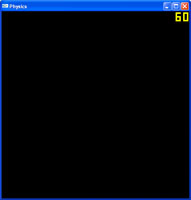 Lets attach a GLUT window do our PhysX application!
 PhysX is the physics API by Nvidia, and I had a play with it back when Ageia owned it. I am not sure how current these tutorials are, but I am keeping them up in the hope they help someone.