1. GLSL Setup
Introduction to GLSL Setup
GLSL (OpenGL Shading Language) is a high-level shading language used to program the GPU for advanced graphical effects. Shaders allow you to customise how your graphics are rendered, providing immense flexibility and control over the rendering pipeline.
In this tutorial, we’ll dive into setting up GLSL shaders in OpenGL, covering the process of creating, compiling, and linking shaders. We’ll also introduce a reusable shader class to streamline shader management for future projects. By the end of this tutorial, you’ll understand how shaders fit into OpenGL and how to integrate them into your programs.
What are Shaders?
In traditional fixed-function OpenGL, the rendering process followed a predefined pipeline where you had limited control over rendering steps. With GLSL, you can replace programmable parts of that pipeline with your own code in the form of shaders.
Shaders are small programs that are executed by the graphics pipeline on the GPU. They are written in GLSL and come in different types. The three you are most likely to bump into while learning are:
- Vertex Shaders: These process each vertex of your geometry. You can manipulate positions and prepare values such as normals, colours and texture coordinates for later stages.
- Fragment Shaders: These calculate the output for generated fragments – commonly thought of as the pixels being drawn – allowing effects such as custom lighting, texturing and blending calculations.
- Geometry Shaders: These are optional and operate on whole primitives after the vertex stage. They can emit additional geometry, although tessellation itself is handled by separate tessellation shader stages in newer OpenGL.
For now we only need a vertex shader and a fragment shader. No point throwing every shader stage at you before we have even managed to draw the teapot!
How Shaders Work in OpenGL
Shaders are written as GLSL source code, but we cannot just hand OpenGL a text file and hope for the best. There are a few steps between our source file and a shader program we can actually use:
- Source Code Loading: We load the GLSL source text into memory.
- Shader Creation: We create an OpenGL shader object for each stage we need.
- Compilation: We give each shader object its source and ask the OpenGL driver to compile it. The driver’s internal representation is implementation-dependent, so it is better not to think of this as one guaranteed “GPU bytecode” format.
- Linking: We attach the successfully compiled shaders to a program object and link them together.
- Binding: We activate the linked program with
glUseProgram, and draw calls then use that program until we bind another one (or bind 0 in this compatibility example).
There is a bit of plumbing there, which is exactly why I do not want to inline all of this into every tutorial. We are going to put the boring shader-management work into one reusable class and then keep using it as the tutorials get more interesting.
Setting Up a Shader Class
To manage shaders effectively, we’ll create a reusable Shader class. This class handles loading, compiling, linking, and activating shaders, abstracting the setup so the rest of our rendering code does not turn into a giant pile of shader boilerplate.
Let’s start by defining its interface in a header file:
#ifndef __SHADER_H
#define __SHADER_H

#if defined(__MACH__) && defined(__APPLE__)
#include <OpenGL/gl.h>
#else
#include <GL/glew.h>
#include <GL/gl.h>
#endif

class Shader {
public:
    Shader();
    Shader(const char *vsFile, const char *fsFile);
    ~Shader();

    void init(const char *vsFile, const char *fsFile);
    void bind();
    void unbind();
    unsigned int id();

private:
    unsigned int shader_id;
    unsigned int shader_vp;
    unsigned int shader_fp;
};

#endif
What are we storing?
- shader_vp: The OpenGL object for our vertex shader.
- shader_fp: The OpenGL object for our fragment shader.
- shader_id: The final linked shader program containing both stages.
- init: Loads, compiles and links the shaders.
- bind / unbind: Activates or deactivates the shader program for rendering.
Implementing the Shader Class
Here’s the implementation of the Shader class. I have included the file-loading helper here as well so the example is actually self-contained rather than mysteriously calling a textFileRead function that appeared out of thin air.
We are deliberately keeping error reporting simple in this first tutorial. In the next tutorial we will add proper compile/link status checks and print the shader logs, because sooner or later you will miss a semicolon in a shader and OpenGL will make you earn it.
#include "shader.h"
#include <fstream>
#include <iostream>
#include <sstream>
#include <string>

static std::string textFileRead(const char *fileName) {
    std::ifstream file(fileName, std::ios::in);

    if (!file) {
        return std::string();
    }

    std::ostringstream contents;
    contents << file.rdbuf();
    return contents.str();
}

Shader::Shader()
    : shader_id(0), shader_vp(0), shader_fp(0) {
}

Shader::Shader(const char *vsFile, const char *fsFile)
    : shader_id(0), shader_vp(0), shader_fp(0) {
    init(vsFile, fsFile);
}

void Shader::init(const char *vsFile, const char *fsFile) {
    std::string vsText = textFileRead(vsFile);
    std::string fsText = textFileRead(fsFile);

    if (vsText.empty() || fsText.empty()) {
        std::cerr << "Either vertex shader or fragment shader file was not found." << std::endl;
        return;
    }

    const GLchar *vsSource = vsText.c_str();
    const GLchar *fsSource = fsText.c_str();

    shader_vp = glCreateShader(GL_VERTEX_SHADER);
    shader_fp = glCreateShader(GL_FRAGMENT_SHADER);

    glShaderSource(shader_vp, 1, &vsSource, NULL);
    glShaderSource(shader_fp, 1, &fsSource, NULL);

    glCompileShader(shader_vp);
    glCompileShader(shader_fp);

    shader_id = glCreateProgram();
    glAttachShader(shader_id, shader_vp);
    glAttachShader(shader_id, shader_fp);
    glLinkProgram(shader_id);
}

void Shader::bind() {
    glUseProgram(shader_id);
}

void Shader::unbind() {
    glUseProgram(0);
}

unsigned int Shader::id() {
    return shader_id;
}

Shader::~Shader() {
    if (shader_id != 0) {
        if (shader_vp != 0) glDetachShader(shader_id, shader_vp);
        if (shader_fp != 0) glDetachShader(shader_id, shader_fp);
    }

    if (shader_vp != 0) glDeleteShader(shader_vp);
    if (shader_fp != 0) glDeleteShader(shader_fp);
    if (shader_id != 0) glDeleteProgram(shader_id);
}
What is happening under the hood?
- glCreateShader: Creates an OpenGL shader object for a particular stage.
- glShaderSource: Associates our GLSL source text with that shader object.
- glCompileShader: Asks the driver to compile the shader.
- glCreateProgram: Creates the program object that will hold our shader stages together.
- glAttachShader: Attaches each compiled shader object to the program.
- glLinkProgram: Links the attached shader stages into the executable program we bind while drawing.
So our Shader object is not the shader itself in some magical C++ sense. It is simply a nice wrapper around the OpenGL object IDs and the steps we would otherwise have to repeat everywhere.
Main Program
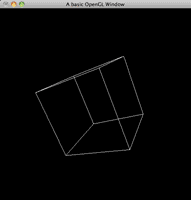
The following program demonstrates how to use the Shader class to render a spinning teapot using GLSL.
#if defined(__MACH__) && defined(__APPLE__)
#include <OpenGL/gl.h>
#include <GLUT/glut.h>
#else
#include <GL/glew.h>
#include <GL/gl.h>
#include <GL/glut.h>
#endif

#include "shader.h"

Shader shader;
GLfloat angle = 0.0f;

void init() {
    glEnable(GL_DEPTH_TEST);
    shader.init("shader.vert", "shader.frag");
}

void display() {
    glClear(GL_COLOR_BUFFER_BIT | GL_DEPTH_BUFFER_BIT);
    glLoadIdentity();
    gluLookAt(0.0, 0.0, 5.0,
    0.0, 0.0, 0.0,
    0.0, 1.0, 0.0);

    shader.bind();
    glRotatef(angle, 1.0f, 1.0f, 0.0f);
    glutWireTeapot(1.0);
    shader.unbind();

    glutSwapBuffers();
    angle += 1.0f;
}

void reshape(int w, int h) {
    if (h == 0) h = 1;
    glViewport(0, 0, w, h);
    glMatrixMode(GL_PROJECTION);
    glLoadIdentity();
    gluPerspective(60.0, (GLfloat)w / (GLfloat)h, 1.0, 100.0);
    glMatrixMode(GL_MODELVIEW);
}

int main(int argc, char **argv) {
    glutInit(&argc, argv);
    glutInitDisplayMode(GLUT_DOUBLE | GLUT_RGB | GLUT_DEPTH);
    glutInitWindowSize(800, 600);
    glutCreateWindow("GLSL Setup Tutorial");

#if !(defined(__MACH__) && defined(__APPLE__))
    glewInit();
#endif

    init();

    glutDisplayFunc(display);
    glutReshapeFunc(reshape);
    glutIdleFunc(display);

    glutMainLoop();
    return 0;
}
Shader Source Code
Our shaders are deliberately boring for the moment. That is a good thing – right now we only want to prove that the whole create / compile / link / bind path actually works before we start doing anything clever.
Vertex Shader (shader.vert)
void main() {
    gl_Position = gl_ModelViewProjectionMatrix * gl_Vertex;
}
Fragment Shader (shader.frag)
void main() {
    gl_FragColor = vec4(1.0, 1.0, 1.0, 1.0);
}
Source & downloads
Questions or corrections? If something doesn’t work or you spot something I’ve got wrong, leave a comment below. These tutorials have been around a long time, so useful corrections are always welcome!

All text is centered you should fix that.
Hey loki, I’m in the long and arduous process of fixing it actually. Hence the Version 2.0 tutorials popping up around the place. Thanks! Swiftless
When I built it, I got an error. Please help me to solve it. Thank you!
Error 5 error LNK2001: unresolved external symbol __imp____glewShaderSource C:\Users\TranHoang\Desktop\ClickingObject\GLSL_Sample\MyTest\MyTest\shader.obj MyTest
Hi swiftless,
The program didn`t run because of the memory leak when program call init function from shader.cpp .How do I fix the problem??Please help me.
I actually want to thank you for this really great tutorials. They’re actually the BEST tutorials you can find for GLSL. Thanks
Enjoy the tutorials. But I cannot get started b/c I cannot set up GLEW. I googled and a lot of people also have trouble installing GLEW. Apparently the binary from the website doesn’t work w/ VS2010 (I use Visual C++2010 Express) so ‘they’ say to recompile by downloading the source. And then this is where I get lost. It’s so confusing. I tried to compile glew.c, there are replies but I get lost. Can someone post step by step how to recompile GLEW. It’s sad to say it’s taken weeks to setup. I got freeglut going but GLEW is a headache…I’m using WIndows 7 64-bit but I’m using the 32-bit Windows SDKs b/c I had it working w/ freeglut, not the 64-bit Windows SDKs. (I downloaded 1.9.0 GLEW source code and am stuck…)
Hi jj,
You shouldn’t have to recompile anything for it to work with Visual Studio.
I’ve never had any issues with GLEW or FreeGLUT in Visual Studio 2010 or Visual Studio 2012. Not even in the express editions.
If anyone has had issues (other than the regular incorrect library locations), let us know.
Cheers,
Swiftless
I had problem with glew. On a linkage stage it didn’t find some of the functions.
I fixed the problem by adding glew.c, glew.h, glxew.h, wglew.h to my project:
I’ve changed #include to #include “glew.h” in glew.c and added #define GLEW_STATIC 1 in my project’s header file:
// Include OpenGl and GLEW header files and libraries
#define GLEW_STATIC 1
#include “glew.h”
#include “wglew.h”
Then I just compiled glew as part of my project. I got lots of warning but everthing works fine.
I’m trying to follow these tutorials, they’re great so far, but I can’t read some of the text, the page is shifted right and cuts off parts of the code and text.
It seems that you don’t free the memory from your malloc. Won’t that cause a memory leak?
It seems that you don’t free the memory from your malloc. Won’t that cause a memory leak?
fix the website, because the text gets cut off on the right
Hello Swiftless,
I do have an iMac with the specs below.
Model Name: iMac
Model Identifier: iMac7,1
Processor Name: Intel Core 2 Duo
Processor Speed: 2 GHz
I’m using GLSL.
I’m Rendering one Cube in my openGLContext. The texture works perfectly.
But as soon as i render a second cube then the textures devides into four on
all sides of my cube.
If I put a third cube on then the texture devides into nine etc.
Has it to do with my Mac.
Hi. Swiftless
Will your Tutorials work on my IMac
Hi SA@Space,
Without knowing which iMac model you have, I can’t comment on that sorry.
Thanks,
Swiftless
You can find out what versions of OpenGL are supported on your iMac by finding your model in this list: (they are organized by year the year they came out, and their screen size).
If you don’t know what type of iMac it is, go to the “” menu and select “About This Mac”, then click the “More Info…” button.
I had to add the following lines in the main() before the init() function to avoid getting access violation errors in VS2010:
GLenum err = glewInit();
if (GLEW_OK != err)
{
/* Problem: glewInit failed, something is seriously wrong. */
fprintf(stderr, “Error: %s\n”, glewGetErrorString(err));
}
Make the page wider or remove the £$£@$ right side panel because I can’t read all the text since it is hidden under the right side panel.
Hi Bleppe,
I’ve had a couple of reports of this since the new theme has kicked in, I’ll be either removing the ads on the pages messing up, or making them WordPress friendly shortly.
Sorry for any inconvenience.
Swiftless
Hey!
Adding this CSS style to your page should make the text visible again. (Works with Firebug, at least):
table[width=”100%”] > tbody > tr > td > p {
width: 507px;
}
Great tutorials by the way! Very helpful.
Hi Atli,
Thanks for that, I haven’t tested it, but I will make a mention of it so others can test it out.
Thanks!
Swiftless
Dude seriously? bleppe said something about the tutorial not displaying correctly back in June. It is an issue of being able to see the whole tutorial.
Hi FityP,
Sorry for the inconvenience, but apart from replying to comments I haven’t had a chance to update a lot of the tutorials to match the new theme and overall the reception has been positive.
I added a quick post on a piece of CSS code another commenter provided which you should be able to use to fix the problem.
If you’d like to take on my combination of full time work and full time study while also trying to help people on here and organise a wedding, let me know and I can pass on some responsibility, because at the moment there just aren’t enough hours in a day. I should know, I’m often awake for 20 of them each day 😉
Cheers,
Swiftless
OK my bad, didn’t read the comments before putting one.
I added glewInit(); before createWindow and that solved all..
Hi Paras,
I’m glad you got it working. That is definitely something I need to add into the tutorial.
Thanks,
Swiftless
Hi Swiftless,
When I run the above code, it gets compiled but I ma getting a run time error as
Unhandled exception at 0x100081bb in swiftlessGLSL.exe: 0xC0000005: Access violation writing location 0x000000a8.
at the glutDisplayFunc(display); in main.
I am not able to find any particular way to debug this.
hi, swiftless. I can’t help but notice that the glsl tutorials are harder to follow than the other opengl tutorials. Is it because shaders are harder to understand or what?
Hi Dr Deo,
I would definitely say that there is a steeper learning curve to GLSL than to OpenGl 2.x. The learning curve for OpenGL 3/4 is probably along the lines of the learning curve to GLSL. But once you get it down pact, you will find everything just becomes easier to do.
Cheers,
Swiftless
Hey, it would be awesome if you could post an article about how to build GLEW with visual studio 2010. A few of my friends in my program had great difficulty with that, including myself.
Anyway, great tutorial, I’m looking forward to reading the rest soon.
Hi PixelStation,
I am not sure why you or your friends are trying to build GLEW with VS2010. GLEW comes in binary format (header files and libraries) all ready to use out of the box unless you specifically download the source code to build.
Cheers,
Swiftless
Do you use Visual Studio 2010? As far as I remember, the binaries available for download don’t work with VS2010, and you have to build your own. I know I had to build my own, but that was a few months ago.
That comment was a long time ago, but I believe that was the problem. The binaries were not working with VS2010. I don’t remember how I fixed it though…
@swiftless:I agree. i am using vs 2010 but i have never needed to compile any glew. 🙂
I’m trying out the code on my MacBook Pro (10.6), and it runs. The only problem is that the shader doesn’t do anything.
I know that it is successfully read – I checked in the debugger.
I tried the shader in the OpenGL Shader Builder, and it works, but not in this program. I should mention that I use SDL to set up the OpenGL context. Can it have something to do with that?
Hey,
Try the newest version of shaded.cop which is available in the bump mapping tutorial. If that does not work it might be due to SDL.
Cheers,
Swiftless
Guess how I solved it?
I changed init(“shader.vert”, “shader.frag”) to init(“shoder.vert”, “shader.frag”), made a new empty line under the function call (Xcode doesn’t realize that a file has been modified if you only change a string), rebuilt, changed it back. It worked after the 5th try.
Xcode bugs are so random.
line 22 of shader.cpp: text[count] = ‘′;
what is that equal to? looks like ” but dont think that is intended.
Hey Fonix,
That is two ‘, or an empty char.
Cheers,
Swiftless
gives me an error when i try use the empty char as ”, ” works though
oh dear the html doesnt like that, ‘ \ 0 ‘ is what i tried to write
Hi, I just want to ask what exactly should this program do?
I ask because I get only black screen and when I put off the line shader.bind ,I see the red cube. Is it right or should it do something else?
It should draw a WHITE cube.
If you get a red cube, that means the (part of the) shader failed to load. Make sure you are in the correct working directory, and it should work 🙂
Do you use Xcode?
To any viewers curious about Swiftless’ thoughts on the timer function, check the “rotation” tutorial in OpenGL. To summarize, he doesn’t recommend using them, in favor of smooth renderings with no lag.
P.S. triple post? what am I doing, trying to set a record for most consecutive posts? Thank you Swiftless for the tutorials and insight, look foward to your next tutorials (apparently, shadow mapping).
I know a double post is probably frowned upon, but I was just reviewing main.cpp and got a great idea:
currently, glutDisplayFunc and glutIdleFunc both accept the display function. My idea (which I have tested) is to get rid of glutIdleFunc in favor of glutTimerFunc. Stay with me, the new function called “timer” will look like:
void timer(int value){
//I still don’t know what the input value is
glutPostRedisplay();
glutTimerFunc(32, timer, 0);
}
This must therefore be complimented by another call to glutTimerFunc(32, timer, 0); in the position where glutIdleFunc(display); currently resides.
This still updates the display, but at an arbitrary value of 32 milliseconds per frame. This should save your processor from excessive work (at least on my 2GHz intel). Note this will slow the rotation, so change the line “angle += 0.01f;” in the display function to “angle += 0.5f;”. While the visual difference is minimal, the CPU work is practically gone.
I would like to thank you and apologize for the redundancy you experience with that issue (specifically, my role in it). I wasn’t sure where to place glewInit(); so I moved it around and debugged with every shift. My heart skipped a beat when I placed it right after glutCreateWindow(“A basic OpenGL Window”); in main.cpp and it successfully built the window.
To clarify, for others (from my experience):
1. Download files and set them in a project.
–Note: it appears shader.vert and shader.frag don’t even need to be in source or resource, just the project folder.
2. Add “glew32.lib” to Additional Dependencies.
–Make sure you highlight the project name and go to project>properties>config>linker>input.
3. place glewInit(); as specified above.
Thank you again for the swift reply.
I downloaded all the files and started debugging. They compile fine (after I add “glew32.lib” to additional dependencies), i just seem to constantly encounter this error message:
“Unhandled exception at 0x00000000 in GLSLintro.exe: 0xC0000005: Access violation.”
I am, unfortunately, not very experienced with C++, but I was hoping someone might tell me what would be causing this error.
I am using Microsoft’s Visual C++ 2008 Express Edition. I added the “shader.frag” and “shader.vert” files to both the “Source Files” and “Resource Files” folders. In both attempts, I was prompted to create a custom build rule for those file types, which I declined.
To expand on the error a little more, a small, green arrow points to the line “shader_vp = glCreateShader(GL_VERTEX_SHADER);” in the Shader::init function after I click “break” in the error message. Also, the “Locals” window has the variables vsText and fsText, both which are described as “0xcccccccc “.
It’s probably something I did wrong, but any help is greatly appreciated.
Hey Mitch,
This is not a problem with your code, on Windows and Linux you need to initialize GLEW and this tutorial was built on OSX.
Add the line glewInit() in your init method, before any shader code is used and that should fix it.
When I get around to updating these tutorials, I’ll be adding that line of code.
Cheers,
Swiftless
I wish I had read this comment earlier, thought i was going mad 😉 please update your tut, swiftless! but great collection!
Hi,
I am using glew-1.5.4 with this tutorial {Microsoft Visual Studio 2010, Windows 7 x64}.
The above example compiles without errors but when I try to run it, exception occurs at the following location:
void Shader::init(const char *vsFile, const char *fsFile) {
shader_vp = glCreateShader(GL_VERTEX_SHADER); <——- Exception
…….
…….
Looking forward for a solution,
Thankyou
Hey OpenGLC++,
I mention a fix for this below. You need to add the line glewInit() to your application if you are on Windows. This tutorial was written on OSX and that call isn’t required for me.
Cheers,
Swiftless
need glewInit() on ubuntu as well it seems (my friend said it was something to do with nvidia and ati cards though not 100% sure what exactly, im using an ati HD2400xt)
Hey Audrius,
You are right, if you don’t want to get caught out by null pointers for your text, which will occur if for some reason your file fails to load.
I do however expect people who come into these tutorials to have some grasp of C++ itself.
When I finally get around to rewriting these tutorials, I will work in some more error checking.
Cheers,
Swiftless
Hey, just wanted to let you know that you should probably initialize the “text” pointer, because without initializing it, most people will either crash or even worse.
I, for example, have got a habit of always initializing every pointer and always checking if it’s initialized properly (through the console like:
“std::cout << *pointer;"
I know that you know stuff like this, but it was getting a lot in my way, when I first started working with pointers and for the time being, I hope at least my comment will help a couple of people fallen for the pointer trap.)
Ohh, man, I probably have set a record on using the word "pointer" ;D
Otherwise, awesome tutorial as always!!!
my bad, this site have own forum.
I’m wondering, don’t you plan make on your site forum?
Or you think is better to use gd.net?
I ask out of curiosity…
Glad I could help Osk, I also have the GTX260 and it is a beast of a card, especially compared to the Intel GMA’s 😀
Swiftless
@Swiftless: ok now everything is working. You have right with adding glewInit(); before glutCreateWindow.
Thats work on my main machine (gtx260…).
Now i feel power hehe big thx
Cheers,
Osk
Hi Osk,
The GMA X3100 only supports OpenGL 1.5. I had the GMA 950 in one of my older laptops, and was extremely disappointed at the lack of OpenGL support.
This tutorial is for OpenGL 2.0, when GLSL shaders were integrated into the specification. You might be able to get it to work, if you switch all the shader calls to their ARB alternatives.
For example:
glCreateShader becomes glCreateShaderObjectARB.
Most of the shader calls will have ARB alternatives, and a quick search should be able to find them. If not, I can help you out, I have some old code that uses ARB extensions.
Cheers,
Swiftless
I put glewInit(); before glutCreateWindow(); and still getting the same mem leak. Thats wierd beacouse i checked a shader loader and looks fine.
But! Now i checked a gpu in computer where i’m temporary working, and it’s a GMA X3100. GPU-Z show 4 pixel shader units and 0 vertex shader unit. Do you think problem is here?
Hi Osk,
Sorry about that, I have to update the tutorial. This is because you need to call glewInit() before you make use of any extensions. So after you call glutCreateWindow, call glewInit().
That line doesn’t appear in this tutorial as it was developed on OSX where you don’t need this call.
Cheers,
Swiftless
Hi, i’ve a problem to compile (in vs 2010) a project with files from this lesson.
I’m getting memory leak when program calls a method init from shader class. Exactly in this line:
file:shader.cpp
37.”shader_vp = glCreateShader(GL_VERTEX_SHADER);”
Have You any idea what is going on?
I am also facing the same problem of memory leakage from shader class from init() function from shader.cpp class.How do I fix it?
call Initglew() below glutCreateWindow() in main() in main.cpp file