Getting started with GLSL
So you’ve got OpenGL drawing, but now you want more control over how things look. This is where shaders come in. I’ll show you how to load them, then we’ll use them for colour, lighting, textures and bump mapping.
Start with GLSL Setup, or have a look at the tutorials below.
- What we’ll cover
- Vertex and fragment shaders
Lighting and textures - Code
- C++ and OpenGL
GLSL shaders - Before you start
- Basic OpenGL drawing
Some C++
Tutorials
First off, let’s get our shaders loading and check for errors. Once that’s working, we can start making things look a little more interesting.
1. GLSL Setup
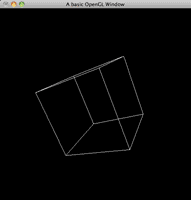
GLSL is the OpenGL Shader Language, and is the OpenGL version of HLSL for DirectX. It allows us to manipulate the scene on a per vertex and per fragment basis, giving us total control.
Read tutorial →2. GLSL Validation
Validating shaders, allows us to find errors on run-time instead of the shader failing and producing corrupt output. HLSL does this upon compilation inside XNA, but we have to wait until out shader compiles, which happens ...
Read tutorial →3. GLSL Colouring
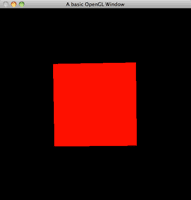
Coloring in GLSL overwrites any colors you introduced into your application. But OpenGL can pass your colors to GLSL for you to use.
Read tutorial →4. GLSL Lighting
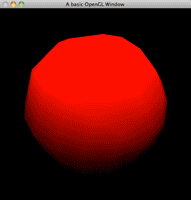
GLSL also overwrites the default lighting in OpenGL, but once again, OpenGL passes all lighting information through to us in GLSL for us to use. This tutorial will teach you how to use this information to ...
Read tutorial →5. GLSL Per Pixel Lighting
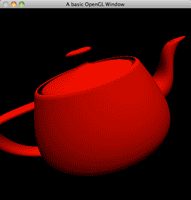
Previously, we looked at simuling OpenGL per vertex lighting. Now we are going to learn how to do per pixel lighting, achieving a more realistic lighting effect.
Read tutorial →6. GLSL Materials
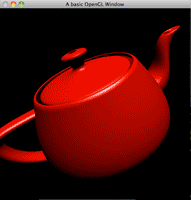
Just like lighting and coloring, OpenGL will pass us the material information for objects, allowing us to light our objects just as they would be in the fixed function OpenGL state. This tutorial will show you ...
Read tutorial →7. Texturing in GLSL
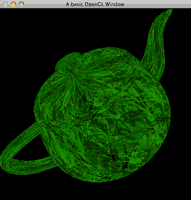
GLSL also gives us the texture coordinates that we assigned in OpenGL. This means that if you pass the texture id to the shader, you can replicate all the texturing done in OpenGL.
Read tutorial →8. Bump Mapping in GLSL

Bump mapping adds an extra sense of realism to today's computer graphics applications that is so simple, it just cannot be ignored. Learn how to do this in GLSL with OpenGL.
Read tutorial →
Before you start
You should already be able to open an OpenGL window and draw a few shapes. If you haven’t got that far yet, start with the OpenGL 2 tutorials.
More tutorials
Have a look at the OpenGL 4 tutorials to use shaders with VAOs and VBOs, or try adding some lighting to a terrain scene.
Dear Sir,
I have search for the examples and tutorial for using glsl in windows form application or project with common language runtime support but i am unable to find one.. I am getting error of assigning shader code to a const char pointer. only first 256 charater is only assigned to the pointer. but in project with no common language runtime support this problem does not occurs.
Please help me with this.