
<?xml version="1.0" encoding="UTF-8"?>
<rss version="2.0"
	xmlns:content="http://purl.org/rss/1.0/modules/content/"
	xmlns:wfw="http://wellformedweb.org/CommentAPI/"
	xmlns:dc="http://purl.org/dc/elements/1.1/"
	xmlns:atom="http://www.w3.org/2005/Atom"
	xmlns:sy="http://purl.org/rss/1.0/modules/syndication/"
	xmlns:slash="http://purl.org/rss/1.0/modules/slash/"
	>

<channel>
	<title>Swiftless Tutorials &#187; GLSL</title>
	<atom:link href="http://www.swiftless.com/category/tutorials/glsl/feed" rel="self" type="application/rss+xml" />
	<link>http://www.swiftless.com</link>
	<description>Game Programming and Computer Graphics Tutorials</description>
	<lastBuildDate>Sat, 10 Sep 2011 04:18:20 +0000</lastBuildDate>
	<language>en</language>
	<sy:updatePeriod>hourly</sy:updatePeriod>
	<sy:updateFrequency>1</sy:updateFrequency>
	<generator>http://wordpress.org/?v=3.2.1</generator>
		<item>
		<title>8. Bump Mapping in GLSL</title>
		<link>http://www.swiftless.com/tutorials/glsl/8_bump_mapping.html</link>
		<comments>http://www.swiftless.com/tutorials/glsl/8_bump_mapping.html#comments</comments>
		<pubDate>Thu, 24 Jun 2010 10:43:50 +0000</pubDate>
		<dc:creator>Swiftless</dc:creator>
				<category><![CDATA[GLSL]]></category>
		<category><![CDATA[Tutorials]]></category>
		<category><![CDATA[bump]]></category>
		<category><![CDATA[map]]></category>
		<category><![CDATA[mapping]]></category>
		<category><![CDATA[normal]]></category>
		<category><![CDATA[OpenGL]]></category>
		<category><![CDATA[programming]]></category>
		<category><![CDATA[texture]]></category>
		<category><![CDATA[tutorial]]></category>

		<guid isPermaLink="false">http://www.swiftless.com/?p=626</guid>
		<description><![CDATA[<img src="http://www.swiftless.com/tutorials/glsl/pics/8_bump_mapping.jpg" alt="GLSL Bump Mapping Tutorial Preview" width=100 height=100 align="left" hspace=5 vspace=5 />Bump mapping adds an extra sense of realism to today's computer graphics applications that is so simple, it just cannot be ignored. Learn how to do this in GLSL with OpenGL.
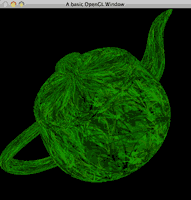

Related posts:<ol><li><a href='http://www.swiftless.com/uncategorized/new-bump-mapping-tutorial.html' rel='bookmark' title='New Bump Mapping Tutorial'>New Bump Mapping Tutorial</a></li>
<li><a href='http://www.swiftless.com/tutorials/glsl/7_texturing.html' rel='bookmark' title='7. Texturing in GLSL'>7. Texturing in GLSL</a></li>
<li><a href='http://www.swiftless.com/tutorials/glsl/5_lighting_perpixel.html' rel='bookmark' title='5. GLSL Per Pixel Lighting'>5. GLSL Per Pixel Lighting</a></li>
</ol>]]></description>
		<wfw:commentRss>http://www.swiftless.com/tutorials/glsl/8_bump_mapping.html/feed</wfw:commentRss>
		<slash:comments>11</slash:comments>
		</item>
		<item>
		<title>7. Texturing in GLSL</title>
		<link>http://www.swiftless.com/tutorials/glsl/7_texturing.html</link>
		<comments>http://www.swiftless.com/tutorials/glsl/7_texturing.html#comments</comments>
		<pubDate>Thu, 25 Mar 2010 07:07:19 +0000</pubDate>
		<dc:creator>Swiftless</dc:creator>
				<category><![CDATA[GLSL]]></category>
		<category><![CDATA[OpenGL]]></category>
		<category><![CDATA[programming]]></category>
		<category><![CDATA[texture]]></category>
		<category><![CDATA[tutorial]]></category>

		<guid isPermaLink="false">http://swiftless.com/wordpress/?p=232</guid>
		<description><![CDATA[<img src="http://www.swiftless.com/tutorials/glsl/pics/7_texturing.png" alt="Tutorial Preview" width=100 height=100 align="left" hspace=5 vspace=5 />GLSL also gives us the texture coordinates that we assigned in OpenGL. This means that if you pass the texture id to the shader, you can replicate all the texturing done in OpenGL.
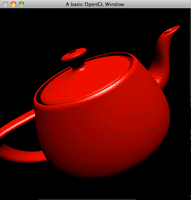

Related posts:<ol><li><a href='http://www.swiftless.com/tutorials/glsl/8_bump_mapping.html' rel='bookmark' title='8. Bump Mapping in GLSL'>8. Bump Mapping in GLSL</a></li>
<li><a href='http://www.swiftless.com/tutorials/opengl/texture_under_windows.html' rel='bookmark' title='16. OpenGL Texturing'>16. OpenGL Texturing</a></li>
<li><a href='http://www.swiftless.com/tutorials/glsl/3_glcolor.html' rel='bookmark' title='3. GLSL Coloring'>3. GLSL Coloring</a></li>
</ol>]]></description>
		<wfw:commentRss>http://www.swiftless.com/tutorials/glsl/7_texturing.html/feed</wfw:commentRss>
		<slash:comments>11</slash:comments>
		</item>
		<item>
		<title>6. GLSL Materials</title>
		<link>http://www.swiftless.com/tutorials/glsl/6_materials.html</link>
		<comments>http://www.swiftless.com/tutorials/glsl/6_materials.html#comments</comments>
		<pubDate>Thu, 25 Mar 2010 06:58:57 +0000</pubDate>
		<dc:creator>Swiftless</dc:creator>
				<category><![CDATA[GLSL]]></category>
		<category><![CDATA[lighting]]></category>
		<category><![CDATA[materials]]></category>
		<category><![CDATA[OpenGL]]></category>
		<category><![CDATA[programming]]></category>
		<category><![CDATA[tutorial]]></category>

		<guid isPermaLink="false">http://swiftless.com/wordpress/?p=230</guid>
		<description><![CDATA[<img src="http://www.swiftless.com/tutorials/glsl/pics/6_materials.png"/ alt="Tutorial Preview" width=100 height=100 align="left" hspace=5 vspace=5 />Just like lighting and coloring, OpenGL will pass us the material information for objects, allowing us to light our objects just as they would be in the fixed function OpenGL state. This tutorial will show you how to get and use the material information on your lit objects.<br clear="all"/>
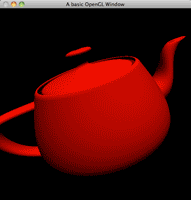

Related posts:<ol><li><a href='http://www.swiftless.com/tutorials/glsl/5_lighting_perpixel.html' rel='bookmark' title='5. GLSL Per Pixel Lighting'>5. GLSL Per Pixel Lighting</a></li>
<li><a href='http://www.swiftless.com/tutorials/opengl/material_lighting.html' rel='bookmark' title='12. OpenGL Materials and Lighting'>12. OpenGL Materials and Lighting</a></li>
<li><a href='http://www.swiftless.com/tutorials/glsl/4_lighting.html' rel='bookmark' title='4. GLSL Lighting'>4. GLSL Lighting</a></li>
</ol>]]></description>
		<wfw:commentRss>http://www.swiftless.com/tutorials/glsl/6_materials.html/feed</wfw:commentRss>
		<slash:comments>6</slash:comments>
		</item>
		<item>
		<title>5. GLSL Per Pixel Lighting</title>
		<link>http://www.swiftless.com/tutorials/glsl/5_lighting_perpixel.html</link>
		<comments>http://www.swiftless.com/tutorials/glsl/5_lighting_perpixel.html#comments</comments>
		<pubDate>Thu, 25 Mar 2010 06:57:01 +0000</pubDate>
		<dc:creator>Swiftless</dc:creator>
				<category><![CDATA[GLSL]]></category>
		<category><![CDATA[lighting]]></category>
		<category><![CDATA[OpenGL]]></category>
		<category><![CDATA[per]]></category>
		<category><![CDATA[pixel]]></category>
		<category><![CDATA[programming]]></category>
		<category><![CDATA[tutorial]]></category>

		<guid isPermaLink="false">http://swiftless.com/wordpress/?p=228</guid>
		<description><![CDATA[<img src="http://www.swiftless.com/tutorials/glsl/pics/5_lighting_perpixel.png"/ alt="Tutorial Preview" width=100 height=100 align="left" hspace=5 vspace=5 />Previously, we looked at simuling OpenGL per vertex lighting. Now we are going to learn how to do per pixel lighting, achieving a more realistic lighting effect.<br clear="all"/>
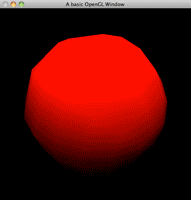

Related posts:<ol><li><a href='http://www.swiftless.com/tutorials/glsl/4_lighting.html' rel='bookmark' title='4. GLSL Lighting'>4. GLSL Lighting</a></li>
<li><a href='http://www.swiftless.com/tutorials/glsl/6_materials.html' rel='bookmark' title='6. GLSL Materials'>6. GLSL Materials</a></li>
<li><a href='http://www.swiftless.com/tutorials/glsl/3_glcolor.html' rel='bookmark' title='3. GLSL Coloring'>3. GLSL Coloring</a></li>
</ol>]]></description>
		<wfw:commentRss>http://www.swiftless.com/tutorials/glsl/5_lighting_perpixel.html/feed</wfw:commentRss>
		<slash:comments>8</slash:comments>
		</item>
		<item>
		<title>4. GLSL Lighting</title>
		<link>http://www.swiftless.com/tutorials/glsl/4_lighting.html</link>
		<comments>http://www.swiftless.com/tutorials/glsl/4_lighting.html#comments</comments>
		<pubDate>Thu, 25 Mar 2010 06:55:44 +0000</pubDate>
		<dc:creator>Swiftless</dc:creator>
				<category><![CDATA[GLSL]]></category>
		<category><![CDATA[lighting]]></category>
		<category><![CDATA[OpenGL]]></category>
		<category><![CDATA[per]]></category>
		<category><![CDATA[programming]]></category>
		<category><![CDATA[tutorial]]></category>
		<category><![CDATA[vertex]]></category>

		<guid isPermaLink="false">http://swiftless.com/wordpress/?p=226</guid>
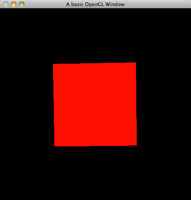
		<description><![CDATA[<img src="http://www.swiftless.com/tutorials/glsl/pics/4_lighting.png"/ alt="Tutorial Preview" width=100 height=100 align="left" hspace=5 vspace=5 />GLSL also overwrites the default lighting in OpenGL, but once again, OpenGL passes all lighting information through to us in GLSL for us to use. This tutorial will teach you how to use this information to perform per-vertex lighting, identical to that in standard OpenGL.<br clear="all"/>

Related posts:<ol><li><a href='http://www.swiftless.com/tutorials/glsl/5_lighting_perpixel.html' rel='bookmark' title='5. GLSL Per Pixel Lighting'>5. GLSL Per Pixel Lighting</a></li>
<li><a href='http://www.swiftless.com/tutorials/glsl/6_materials.html' rel='bookmark' title='6. GLSL Materials'>6. GLSL Materials</a></li>
<li><a href='http://www.swiftless.com/tutorials/glsl/8_bump_mapping.html' rel='bookmark' title='8. Bump Mapping in GLSL'>8. Bump Mapping in GLSL</a></li>
</ol>]]></description>
		<wfw:commentRss>http://www.swiftless.com/tutorials/glsl/4_lighting.html/feed</wfw:commentRss>
		<slash:comments>3</slash:comments>
		</item>
		<item>
		<title>3. GLSL Coloring</title>
		<link>http://www.swiftless.com/tutorials/glsl/3_glcolor.html</link>
		<comments>http://www.swiftless.com/tutorials/glsl/3_glcolor.html#comments</comments>
		<pubDate>Thu, 25 Mar 2010 06:49:54 +0000</pubDate>
		<dc:creator>Swiftless</dc:creator>
				<category><![CDATA[GLSL]]></category>
		<category><![CDATA[color]]></category>
		<category><![CDATA[OpenGL]]></category>
		<category><![CDATA[programming]]></category>
		<category><![CDATA[tutorial]]></category>

		<guid isPermaLink="false">http://swiftless.com/wordpress/?p=224</guid>
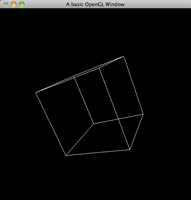
		<description><![CDATA[<img src="http://www.swiftless.com/tutorials/glsl/pics/3_glcolor.png"/ alt="Tutorial Preview" width=100 height=100 align="left" hspace=5 vspace=5 />Coloring in GLSL overwrites any colors you introduced into your application. But OpenGL can pass your colors to GLSL for you to use.<br clear="all"/>

Related posts:<ol><li><a href='http://www.swiftless.com/tutorials/glsl/5_lighting_perpixel.html' rel='bookmark' title='5. GLSL Per Pixel Lighting'>5. GLSL Per Pixel Lighting</a></li>
<li><a href='http://www.swiftless.com/tutorials/glsl/4_lighting.html' rel='bookmark' title='4. GLSL Lighting'>4. GLSL Lighting</a></li>
<li><a href='http://www.swiftless.com/tutorials/glsl/6_materials.html' rel='bookmark' title='6. GLSL Materials'>6. GLSL Materials</a></li>
</ol>]]></description>
		<wfw:commentRss>http://www.swiftless.com/tutorials/glsl/3_glcolor.html/feed</wfw:commentRss>
		<slash:comments>7</slash:comments>
		</item>
		<item>
		<title>2. GLSL Validation</title>
		<link>http://www.swiftless.com/tutorials/glsl/2_validation.html</link>
		<comments>http://www.swiftless.com/tutorials/glsl/2_validation.html#comments</comments>
		<pubDate>Thu, 25 Mar 2010 06:47:57 +0000</pubDate>
		<dc:creator>Swiftless</dc:creator>
				<category><![CDATA[GLSL]]></category>
		<category><![CDATA[OpenGL]]></category>
		<category><![CDATA[programming]]></category>
		<category><![CDATA[tutorial]]></category>
		<category><![CDATA[validate]]></category>

		<guid isPermaLink="false">http://swiftless.com/wordpress/?p=222</guid>
		<description><![CDATA[<img src="http://www.swiftless.com/tutorials/glsl/pics/1_setup.png"/ alt="Tutorial Preview" width=100 height=100 align="left" hspace=5 vspace=5 />Validating shaders, allows us to find errors on run-time instead of the shader failing and producing corrupt output. HLSL does this upon compilation inside XNA, but we have to wait until out shader compiles, which happens at run time.<br clear="all"/>


Related posts:<ol><li><a href='http://www.swiftless.com/tutorials/glsl/1_setup.html' rel='bookmark' title='1. GLSL Setup'>1. GLSL Setup</a></li>
<li><a href='http://www.swiftless.com/tutorials/glsl/3_glcolor.html' rel='bookmark' title='3. GLSL Coloring'>3. GLSL Coloring</a></li>
<li><a href='http://www.swiftless.com/tutorials/glsl/5_lighting_perpixel.html' rel='bookmark' title='5. GLSL Per Pixel Lighting'>5. GLSL Per Pixel Lighting</a></li>
</ol>]]></description>
		<wfw:commentRss>http://www.swiftless.com/tutorials/glsl/2_validation.html/feed</wfw:commentRss>
		<slash:comments>2</slash:comments>
		</item>
		<item>
		<title>1. GLSL Setup</title>
		<link>http://www.swiftless.com/tutorials/glsl/1_setup.html</link>
		<comments>http://www.swiftless.com/tutorials/glsl/1_setup.html#comments</comments>
		<pubDate>Thu, 25 Mar 2010 06:46:10 +0000</pubDate>
		<dc:creator>Swiftless</dc:creator>
				<category><![CDATA[GLSL]]></category>
		<category><![CDATA[OpenGL]]></category>
		<category><![CDATA[programming]]></category>
		<category><![CDATA[setup]]></category>
		<category><![CDATA[tutorial]]></category>

		<guid isPermaLink="false">http://swiftless.com/wordpress/?p=220</guid>
		<description><![CDATA[<img src="http://www.swiftless.com/tutorials/glsl/pics/1_setup.png"/ alt="Tutorial Preview" width=100 height=100 align="left" hspace=5 vspace=5 />GLSL is the OpenGL Shader Language, and is the OpenGL version of HLSL for DirectX. It allows us to manipulate the scene on a per vertex and per fragment basis, giving us total control.<br clear="all"/>


Related posts:<ol><li><a href='http://www.swiftless.com/tutorials/glsl/2_validation.html' rel='bookmark' title='2. GLSL Validation'>2. GLSL Validation</a></li>
<li><a href='http://www.swiftless.com/tutorials/opengl4/2-opengl-shaders.html' rel='bookmark' title='2. OpenGL 4 Shaders'>2. OpenGL 4 Shaders</a></li>
<li><a href='http://www.swiftless.com/tutorials/glsl/3_glcolor.html' rel='bookmark' title='3. GLSL Coloring'>3. GLSL Coloring</a></li>
</ol>]]></description>
		<wfw:commentRss>http://www.swiftless.com/tutorials/glsl/1_setup.html/feed</wfw:commentRss>
		<slash:comments>49</slash:comments>
		</item>
	</channel>
</rss>

