Let’s build some terrain
Drawing a few shapes is a good start, but what about a whole landscape? In these tutorials we’re going to build a terrain class, load a heightmap and get it on screen. Then we’ll add textures and look at a few ways to speed up the drawing.
Start with Terrain Class, or have a look at the tutorials below.
- What we’ll build
- A terrain class
Heightmaps and textures - Code
- C++ and OpenGL
VBOs and level of detail - Before you start
- OpenGL shapes and textures
Basic C++ classes
Tutorials
We’ll start with the class and add to it as we go. Work through the tutorials in order so you’ve got the code we need for the next one.
1. Terrain Class
Terrain is one of those things that so far, hasn't been perfectly recreated in computer graphics. But it is almost there! Looking over a beautiful landscape can be one of the most amazing feelings in the ...
Read tutorial →2. Terrain Loading
We have a basic class setup to hold our terrain, so now lets load in some data for us to display.
Read tutorial →3. Terrain Rendering
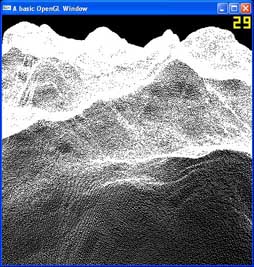
The moment we have been waiting for. Lets finally get something drawing out to our window. Even if it doesn't look like we would expect 🙂
Read tutorial →4. Terrain Triangle Strips
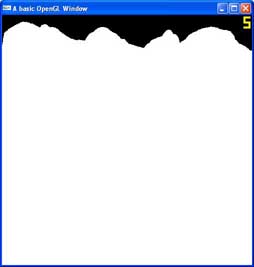
We have a basic class setup to hold our terrain, so now lets load in some data for us to display.
Read tutorial →5. Terrain Textures
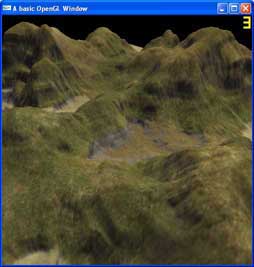
Textures are going to be what make and break this terrain. A nice looking tutorial, and you will be seeing grass, mud, rocks and sand, but a bad texture and you will see just a bunch ...
Read tutorial →6. Terrain Vertex Buffer Objects
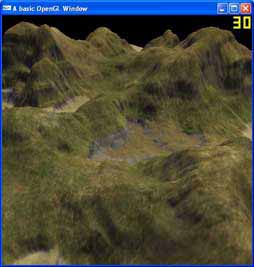
Vertex Buffer Objects are used to store vertices, their indices and other information on the graphics card, for OpenGL to access directly. They are extremely fast and effecient, and are meant to supersede Display Lists. So ...
Read tutorial →7. Terrain Level Of Detail
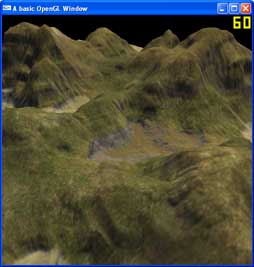
Level of Detail is a means of decreasing the polygon count of an object to gain a speed boost in your application. This is an extremely simple take on this, which simply draws every fourth vertex. ...
Read tutorial →
Before you start
You should be comfortable drawing shapes and using textures in OpenGL, along with a bit of C++ class work. If you need a hand with the OpenGL side, have a look at the OpenGL 2 tutorials first.
More tutorials
Want to do more with lighting and textures? Try the GLSL tutorials. The OpenGL 4 tutorials also show how to draw using shaders and buffers.
Thanks for this tutorial. I started with this as a starting point and built a LOD engine working with tessellation shaders!
Where can I download more these height field raw files? I find DEMs and DTEDs, but not in raw format!
Thanks in advance
Thanks for the awesome tutorials.
I am trying to overlay 2D scene over a 3D drawn scene. When i use GL_TRIANGLE_STRIP method ( tutorial 4), i am able to see 2D scene overlay over 3D scenes. However when i use VBO for drawing 3D, I see only 3D scene and 2D scene is not visible.
I am using following draw function:
/////////////
Draw()
{
glClearDepth(1.0f); // Depth Buffer Setup
glDepthFunc(GL_LEQUAL); // The Type Of Depth Test To Do
glDisable(GL_BLEND);
glEnable(GL_DEPTH_TEST);
glClear(GL_DEPTH_BUFFER_BIT | GL_COLOR_BUFFER_BIT);
glClearColor(0.0,0.0,1.0,0.0);
glShadeModel (GL_SMOOTH);
glMatrixMode(GL_PROJECTION); // Select The Projection Matrix
glPushMatrix();
glLoadIdentity(); // Reset The Projection Matrix // Calculate The Aspect Ratio Of The Window
gluPerspective(60.0f,(GLfloat)(getW())/(GLfloat)(getH()),0.1f,1000.0f);
glMatrixMode(GL_MODELVIEW); // Select The Modelview Matrix
glPushMatrix();
glLoadIdentity(); // Reset The Modelview Matrix
/* Draw 3D stuff here*/
glMatrixMode(GL_PROJECTION); // Select The Projection Matrix
glPopMatrix(); // Restore The Old Projection Matrix
glMatrixMode(GL_MODELVIEW); // Select The Modelview Matrix
glPopMatrix(); // Restore The Old Projection Matrix
glDisable(GL_DEPTH_TEST); // Disable Depth Testing
glShadeModel (GL_FLAT); // Select Smooth Shading
glMatrixMode(GL_PROJECTION); // Select The Projection Matrix
glPushMatrix(); // Store The Projection Matrix
glLoadIdentity(); // Reset The Projection Matrix
glOrtho(0,getW(),0,getH(),-1,1); // Set Up An Ortho Screen
glMatrixMode(GL_MODELVIEW); // Select The Modelview Matrix
glPushMatrix(); // Store The Modelview Matrix
glLoadIdentity(); // Reset The Modelview Matrix
/*Draw 2D stuff here*/
glMatrixMode(GL_PROJECTION); // Select The Projection Matrix
glPopMatrix(); // Restore The Old Projection Matrix
glMatrixMode(GL_MODELVIEW); // Select The Modelview Matrix
glPopMatrix(); // Restore The Old Projection Matrix
glutSwapBuffers();
}
/////////////
Please help!!!!!!!!!!!!!!!
Epic!!!
awesome!!!!!!!