
<?xml version="1.0" encoding="UTF-8"?>
<rss version="2.0"
	xmlns:content="http://purl.org/rss/1.0/modules/content/"
	xmlns:wfw="http://wellformedweb.org/CommentAPI/"
	xmlns:dc="http://purl.org/dc/elements/1.1/"
	xmlns:atom="http://www.w3.org/2005/Atom"
	xmlns:sy="http://purl.org/rss/1.0/modules/syndication/"
	xmlns:slash="http://purl.org/rss/1.0/modules/slash/"
	>

<channel>
	<title>Swiftless Tutorials &#187; texture</title>
	<atom:link href="http://www.swiftless.com/tag/texture/feed" rel="self" type="application/rss+xml" />
	<link>http://www.swiftless.com</link>
	<description>Game Programming and Computer Graphics Tutorials</description>
	<lastBuildDate>Sat, 10 Sep 2011 04:18:20 +0000</lastBuildDate>
	<language>en</language>
	<sy:updatePeriod>hourly</sy:updatePeriod>
	<sy:updateFrequency>1</sy:updateFrequency>
	<generator>http://wordpress.org/?v=3.2.1</generator>
		<item>
		<title>8. Bump Mapping in GLSL</title>
		<link>http://www.swiftless.com/tutorials/glsl/8_bump_mapping.html</link>
		<comments>http://www.swiftless.com/tutorials/glsl/8_bump_mapping.html#comments</comments>
		<pubDate>Thu, 24 Jun 2010 10:43:50 +0000</pubDate>
		<dc:creator>Swiftless</dc:creator>
				<category><![CDATA[GLSL]]></category>
		<category><![CDATA[Tutorials]]></category>
		<category><![CDATA[bump]]></category>
		<category><![CDATA[map]]></category>
		<category><![CDATA[mapping]]></category>
		<category><![CDATA[normal]]></category>
		<category><![CDATA[OpenGL]]></category>
		<category><![CDATA[programming]]></category>
		<category><![CDATA[texture]]></category>
		<category><![CDATA[tutorial]]></category>

		<guid isPermaLink="false">http://www.swiftless.com/?p=626</guid>
		<description><![CDATA[<img src="http://www.swiftless.com/tutorials/glsl/pics/8_bump_mapping.jpg" alt="GLSL Bump Mapping Tutorial Preview" width=100 height=100 align="left" hspace=5 vspace=5 />Bump mapping adds an extra sense of realism to today's computer graphics applications that is so simple, it just cannot be ignored. Learn how to do this in GLSL with OpenGL.


Related posts:<ol><li><a href='http://www.swiftless.com/uncategorized/new-bump-mapping-tutorial.html' rel='bookmark' title='New Bump Mapping Tutorial'>New Bump Mapping Tutorial</a></li>
<li><a href='http://www.swiftless.com/tutorials/glsl/7_texturing.html' rel='bookmark' title='7. Texturing in GLSL'>7. Texturing in GLSL</a></li>
<li><a href='http://www.swiftless.com/tutorials/glsl/5_lighting_perpixel.html' rel='bookmark' title='5. GLSL Per Pixel Lighting'>5. GLSL Per Pixel Lighting</a></li>
</ol>]]></description>
		<wfw:commentRss>http://www.swiftless.com/tutorials/glsl/8_bump_mapping.html/feed</wfw:commentRss>
		<slash:comments>11</slash:comments>
		</item>
		<item>
		<title>5. Terrain Textures</title>
		<link>http://www.swiftless.com/tutorials/terrain/5_textures.html</link>
		<comments>http://www.swiftless.com/tutorials/terrain/5_textures.html#comments</comments>
		<pubDate>Thu, 25 Mar 2010 08:58:55 +0000</pubDate>
		<dc:creator>Swiftless</dc:creator>
				<category><![CDATA[Terrain]]></category>
		<category><![CDATA[OpenGL]]></category>
		<category><![CDATA[programming]]></category>
		<category><![CDATA[texture]]></category>
		<category><![CDATA[tutorial]]></category>

		<guid isPermaLink="false">http://swiftless.com/wordpress/?p=260</guid>
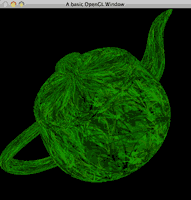
		<description><![CDATA[<img src="http://swiftless.com/tutorials/terrain/5_textures/5_textures.jpg" alt="Terrain Texture Tutorial Preview" width="100" height="100" align="left" hspace="5" vspace="5" />Textures are going to be what make and break this terrain. A nice looking tutorial, and you will be seeing grass, mud, rocks and sand, but a bad texture and you will see just a bunch of colors. Lets add a nice texture to our terrain shall we?<br clear="all" />

Related posts:<ol><li><a href='http://www.swiftless.com/tutorials/terrain/4_triangle_strips.html' rel='bookmark' title='4. Terrain Triangle Strips'>4. Terrain Triangle Strips</a></li>
<li><a href='http://www.swiftless.com/tutorials/terrain/3_rendering.html' rel='bookmark' title='3. Terrain Rendering'>3. Terrain Rendering</a></li>
<li><a href='http://www.swiftless.com/tutorials/terrain/7_lod.html' rel='bookmark' title='7. Terrain Level Of Detail'>7. Terrain Level Of Detail</a></li>
</ol>]]></description>
		<wfw:commentRss>http://www.swiftless.com/tutorials/terrain/5_textures.html/feed</wfw:commentRss>
		<slash:comments>4</slash:comments>
		</item>
		<item>
		<title>7. Texturing in GLSL</title>
		<link>http://www.swiftless.com/tutorials/glsl/7_texturing.html</link>
		<comments>http://www.swiftless.com/tutorials/glsl/7_texturing.html#comments</comments>
		<pubDate>Thu, 25 Mar 2010 07:07:19 +0000</pubDate>
		<dc:creator>Swiftless</dc:creator>
				<category><![CDATA[GLSL]]></category>
		<category><![CDATA[OpenGL]]></category>
		<category><![CDATA[programming]]></category>
		<category><![CDATA[texture]]></category>
		<category><![CDATA[tutorial]]></category>

		<guid isPermaLink="false">http://swiftless.com/wordpress/?p=232</guid>
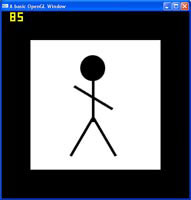
		<description><![CDATA[<img src="http://www.swiftless.com/tutorials/glsl/pics/7_texturing.png" alt="Tutorial Preview" width=100 height=100 align="left" hspace=5 vspace=5 />GLSL also gives us the texture coordinates that we assigned in OpenGL. This means that if you pass the texture id to the shader, you can replicate all the texturing done in OpenGL.

Related posts:<ol><li><a href='http://www.swiftless.com/tutorials/glsl/8_bump_mapping.html' rel='bookmark' title='8. Bump Mapping in GLSL'>8. Bump Mapping in GLSL</a></li>
<li><a href='http://www.swiftless.com/tutorials/opengl/texture_under_windows.html' rel='bookmark' title='16. OpenGL Texturing'>16. OpenGL Texturing</a></li>
<li><a href='http://www.swiftless.com/tutorials/glsl/3_glcolor.html' rel='bookmark' title='3. GLSL Coloring'>3. GLSL Coloring</a></li>
</ol>]]></description>
		<wfw:commentRss>http://www.swiftless.com/tutorials/glsl/7_texturing.html/feed</wfw:commentRss>
		<slash:comments>11</slash:comments>
		</item>
		<item>
		<title>33. OpenGL Animating Textures</title>
		<link>http://www.swiftless.com/tutorials/opengl/texture_animation.html</link>
		<comments>http://www.swiftless.com/tutorials/opengl/texture_animation.html#comments</comments>
		<pubDate>Thu, 25 Mar 2010 06:37:03 +0000</pubDate>
		<dc:creator>Swiftless</dc:creator>
				<category><![CDATA[OpenGL]]></category>
		<category><![CDATA[animation]]></category>
		<category><![CDATA[programming]]></category>
		<category><![CDATA[texture]]></category>
		<category><![CDATA[tutorial]]></category>

		<guid isPermaLink="false">http://swiftless.com/wordpress/?p=212</guid>
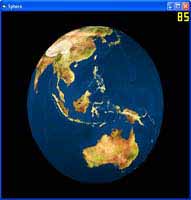
		<description><![CDATA[<img src="http://www.swiftless.com/tutorials/opengl/pics/animation.jpg" alt="OpenGL Animating Textures Tutorial Preview" width="100" height="100" align="left" hspace="5" vspace="5" />Textures by themselves are perfectly fine, you don't have to do anything with them. But have you ever wanted to load a movie into a 3D scene? Maybe you want to read a movie file, and display it on a quad moving around your scene. Well you can, but you have to do it frame, by frame.<br clear="all"/>

Related posts:<ol><li><a href='http://www.swiftless.com/tutorials/opengl/mipmap_generation.html' rel='bookmark' title='20. OpenGL MipMap Generation'>20. OpenGL MipMap Generation</a></li>
<li><a href='http://www.swiftless.com/tutorials/opengl/texture_under_windows.html' rel='bookmark' title='16. OpenGL Texturing'>16. OpenGL Texturing</a></li>
<li><a href='http://www.swiftless.com/tutorials/opengl/tiling.html' rel='bookmark' title='35. OpenGL Tiling Engine'>35. OpenGL Tiling Engine</a></li>
</ol>]]></description>
		<wfw:commentRss>http://www.swiftless.com/tutorials/opengl/texture_animation.html/feed</wfw:commentRss>
		<slash:comments>6</slash:comments>
		</item>
		<item>
		<title>31. OpenGL Sphere Creation</title>
		<link>http://www.swiftless.com/tutorials/opengl/sphere.html</link>
		<comments>http://www.swiftless.com/tutorials/opengl/sphere.html#comments</comments>
		<pubDate>Thu, 25 Mar 2010 06:33:32 +0000</pubDate>
		<dc:creator>Swiftless</dc:creator>
				<category><![CDATA[OpenGL]]></category>
		<category><![CDATA[programming]]></category>
		<category><![CDATA[sphere]]></category>
		<category><![CDATA[texture]]></category>
		<category><![CDATA[tutorial]]></category>

		<guid isPermaLink="false">http://swiftless.com/wordpress/?p=208</guid>
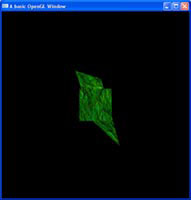
		<description><![CDATA[<img src="http://www.swiftless.com/tutorials/opengl/pics/sphere.jpg" alt="OpenGL Sphere Tutorial Preview" width="100" height="100" align="left" hspace="5" vspace="5" />While GLUT provides a sphere for us to draw, that sphere does not contain texture coordinates. In this tutorial, I will show you how to create your own sphere, which has texture coordinates included. Now you can make that solar system demo you have always wanted!<br clear="all"/>

Related posts:<ol><li><a href='http://www.swiftless.com/tutorials/opengl/collision.html' rel='bookmark' title='29. OpenGL Bounding Sphere Collision'>29. OpenGL Bounding Sphere Collision</a></li>
<li><a href='http://www.swiftless.com/tutorials/opengl/cube.html' rel='bookmark' title='6. OpenGL Cube (Version 2.0)'>6. OpenGL Cube (Version 2.0)</a></li>
<li><a href='http://www.swiftless.com/tutorials/opengl/texture_under_windows.html' rel='bookmark' title='16. OpenGL Texturing'>16. OpenGL Texturing</a></li>
</ol>]]></description>
		<wfw:commentRss>http://www.swiftless.com/tutorials/opengl/sphere.html/feed</wfw:commentRss>
		<slash:comments>28</slash:comments>
		</item>
		<item>
		<title>20. OpenGL MipMap Generation</title>
		<link>http://www.swiftless.com/tutorials/opengl/mipmap_generation.html</link>
		<comments>http://www.swiftless.com/tutorials/opengl/mipmap_generation.html#comments</comments>
		<pubDate>Thu, 25 Mar 2010 06:10:59 +0000</pubDate>
		<dc:creator>Swiftless</dc:creator>
				<category><![CDATA[OpenGL]]></category>
		<category><![CDATA[generation]]></category>
		<category><![CDATA[mipmap]]></category>
		<category><![CDATA[programming]]></category>
		<category><![CDATA[texture]]></category>
		<category><![CDATA[tutorial]]></category>

		<guid isPermaLink="false">http://swiftless.com/wordpress/?p=185</guid>
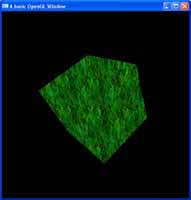
		<description><![CDATA[<img src="http://www.swiftless.com/tutorials/opengl/pics/mipmap.jpg" alt="OpenGL Mipmap Tutorial Preview" width="100" height="100" align="left" hspace="5" vspace="5" />Mip maps are an essential texture extension, which creates scaled down versions of a texture and uses them when an object gets further away, or closer to the near plane. This scaled down version of the texture, makes for nicer, smoother looking textures.<br clear="all"/>

Related posts:<ol><li><a href='http://www.swiftless.com/tutorials/opengl/texture_coordinate_generation.html' rel='bookmark' title='17. OpenGL Texture Coordinate Generation'>17. OpenGL Texture Coordinate Generation</a></li>
<li><a href='http://www.swiftless.com/tutorials/opengl/texture_under_windows.html' rel='bookmark' title='16. OpenGL Texturing'>16. OpenGL Texturing</a></li>
<li><a href='http://www.swiftless.com/tutorials/opengl/texture_animation.html' rel='bookmark' title='33. OpenGL Animating Textures'>33. OpenGL Animating Textures</a></li>
</ol>]]></description>
		<wfw:commentRss>http://www.swiftless.com/tutorials/opengl/mipmap_generation.html/feed</wfw:commentRss>
		<slash:comments>5</slash:comments>
		</item>
		<item>
		<title>17. OpenGL Texture Coordinate Generation</title>
		<link>http://www.swiftless.com/tutorials/opengl/texture_coordinate_generation.html</link>
		<comments>http://www.swiftless.com/tutorials/opengl/texture_coordinate_generation.html#comments</comments>
		<pubDate>Thu, 25 Mar 2010 06:02:25 +0000</pubDate>
		<dc:creator>Swiftless</dc:creator>
				<category><![CDATA[OpenGL]]></category>
		<category><![CDATA[coordinate]]></category>
		<category><![CDATA[generation]]></category>
		<category><![CDATA[programming]]></category>
		<category><![CDATA[texture]]></category>
		<category><![CDATA[tutorial]]></category>

		<guid isPermaLink="false">http://swiftless.com/wordpress/?p=174</guid>
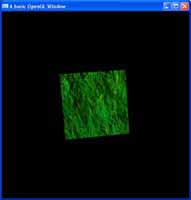
		<description><![CDATA[<img src="http://www.swiftless.com/tutorials/opengl/pics/texture_coord_gen.jpg" alt="OpenGL Texture Coordinate Generation Tutorial Preview" width="100" height="100" align="left" hspace="5" vspace="5" />When assigning a texture to an object, you need to declare the texture coordinates, little values between 0 and 1 that tell us which part of the image maps to which part of the 3D model. OpenGL has some texture coordinate methods for generic texturing.<br clear="all"/>

Related posts:<ol><li><a href='http://www.swiftless.com/tutorials/opengl/mipmap_generation.html' rel='bookmark' title='20. OpenGL MipMap Generation'>20. OpenGL MipMap Generation</a></li>
<li><a href='http://www.swiftless.com/tutorials/opengl/texture_under_windows.html' rel='bookmark' title='16. OpenGL Texturing'>16. OpenGL Texturing</a></li>
<li><a href='http://www.swiftless.com/tutorials/opengl/sphere.html' rel='bookmark' title='31. OpenGL Sphere Creation'>31. OpenGL Sphere Creation</a></li>
</ol>]]></description>
		<wfw:commentRss>http://www.swiftless.com/tutorials/opengl/texture_coordinate_generation.html/feed</wfw:commentRss>
		<slash:comments>10</slash:comments>
		</item>
		<item>
		<title>16. OpenGL Texturing</title>
		<link>http://www.swiftless.com/tutorials/opengl/texture_under_windows.html</link>
		<comments>http://www.swiftless.com/tutorials/opengl/texture_under_windows.html#comments</comments>
		<pubDate>Thu, 25 Mar 2010 06:00:17 +0000</pubDate>
		<dc:creator>Swiftless</dc:creator>
				<category><![CDATA[OpenGL]]></category>
		<category><![CDATA[programming]]></category>
		<category><![CDATA[texture]]></category>
		<category><![CDATA[tutorial]]></category>

		<guid isPermaLink="false">http://swiftless.com/wordpress/?p=172</guid>
		<description><![CDATA[<img src="http://www.swiftless.com/tutorials/opengl/pics/texture.jpg" alt="OpenGL Texturing Tutorial Preview" width="100" height="100" align="left" hspace="5" vspace="5" />The next step in the quest for realism after lighting, comes in the form of texturing. Texturing is the art of drawing an image on top of a 3D object and is the core behind all 3D applications. Could you imaging Half Life 2 coming out, and the characters looked like store mannequins?<br clear="all"/>


Related posts:<ol><li><a href='http://www.swiftless.com/tutorials/opengl/mipmap_generation.html' rel='bookmark' title='20. OpenGL MipMap Generation'>20. OpenGL MipMap Generation</a></li>
<li><a href='http://www.swiftless.com/tutorials/glsl/7_texturing.html' rel='bookmark' title='7. Texturing in GLSL'>7. Texturing in GLSL</a></li>
<li><a href='http://www.swiftless.com/tutorials/opengl/texture_animation.html' rel='bookmark' title='33. OpenGL Animating Textures'>33. OpenGL Animating Textures</a></li>
</ol>]]></description>
		<wfw:commentRss>http://www.swiftless.com/tutorials/opengl/texture_under_windows.html/feed</wfw:commentRss>
		<slash:comments>27</slash:comments>
		</item>
	</channel>
</rss>

