Getting started with shaders and buffers
OpenGL works quite differently once we move away from glBegin. We’re going to create a window, load some shaders and set up our own matrices, then use VAOs and VBOs to draw something. There’s a bit more setup involved, but I’ll take you through it step by step.
- OpenGL
- OpenGL 3.2 core
GLSL 1.50 - Code
- C++ on Windows
Win32 and WGL - Before you start
- Some C++
Basic graphics experience
Tutorials
Start with the window tutorial and follow along from there. Each tutorial adds to the code from the one before it.
1. OpenGL 4 Window
OpenGL 3.x and OpenGL 4.x came out all of a sudden, but not many people made the switch. Here you will learn how to create a window with an OpenGL 3.2 capable context, which can be ...
Read tutorial →2. OpenGL 4 Shaders
OpenGL 3.x and OpenGL 4.x rely on you to use shaders for all of your effects. This tutorial will show you how to incorporate the shaders from the GLSL section of the site into our new ...
Read tutorial →3. OpenGL 4 Matrices
OpenGL 3.x and OpenGL 4.x remove all matrix functions and force the developer to handle all matrices themselves. This is both a good and a bad thing. For beginners it takes a little more effort to ...
Read tutorial →4. OpenGL 4 Vertex Array Objects (VAO)
OpenGL 3.x and OpenGL 4.x deprecated virtually all client side rendering calls such as glEnable(GL_TRIANGLES) and glVertex3f, so how do we render things these days?. This tutorial will show you how to use Vertex Array Objects ...
Read tutorial →5. OpenGL 4 Vertex Buffer Objects (VBOs) for Colour
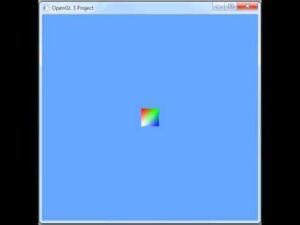
Because OpenGL 3.x and OpenGL 4.x deprecated and then removed virtually all of the fixed function pipeline, how do we colour our polygons these days?. This tutorial will show you how to use two Vertex Buffer ...
Read tutorial →
Before you start
I wrote these examples in C++ on Windows. You’ll need a compiler and a graphics card with drivers that support OpenGL 3.2. The first tutorial covers the Win32 and WGL code we need to get our window running.
If you want to spend more time on shaders, have a look at the GLSL tutorials. If this is your first time doing any graphics programming, the OpenGL 2 tutorials are an easier place to start. Or try WebGL if you want to draw in a browser.
…as long as you’re using a toolkit, you’re not doing OpenGL programming, you’re doing toolkit programming.
Your efforts are now at the mercy of the interaction between the toolkit and every other component that you’re using to build your programs.
If you’re going to write an OpenGL tutorial then write a tutorial in OpenGL, not in a toolkit!
Awesome work! Plz write a code for creating triangle in OPENGL using class
I couldn’t find any examples on: converting/normalizing 2D coordinates to screen. Every example I find uses stock stand floats ie within -1,1 range. Can you please provide a detailed yet basic example that uses float Shape[]= 5,6,7,1; as coordinates, & then convert/map/normalize to opengl, for a 2D environment. Would be greatfully appreciated.
opps, sorry I meant float shape[] = 5,6,0,1;
Yo swift.
How about a tutorial for opengl billboards? That would be awesome for us doing 2d and new to opengl 4.
Nick
Is it true that FreeGLUT is a bad choice for game development as it doesn’t allow you to control the main loop?
Hey Akrucious,
I would say that is most certainly the case. FreeGLUT and GLUT are for rapid development and testing. If you want extreme performance, threading, control over inputs, then you should be using native calls to the OS and developing for the target platforms.
Thanks,
Swiftless
Will there be new tutorials coming out?
Very useful tutorials! Thank you
Regarding tutorials. I noticed there are no headers for windowing libraries or libraries for extension of opengl such as GLFW/FreeGLUT and GLEW respectively. Are you using core OpenGL?
The OpenGL 4.0 tutorials were written before FreeGLUT really supported OpenGL contexts beyond that of OpenGL 2.x. Which is why these tutorials are for Windows only. However I believe the latest FreeGLUT allows you to set a context using glutInitContextVersion.
I use Windows 7 64-bit and it supports OpenGL core 3.1 and GLSL 1.4, does that mean I cannot run the OpenGL 3.2 tutorial you have?
That is correct, however you should have no trouble with the tutorial if you drop the version inside the tutorial down to 3.1.
Cheers,
Swiftless
I have windows 7 64 nit and I can run his 4 tutorial successfully. Install 32 libraries and it will work. It’s a pain however.
Hello Everyone – OpenGL 4.3 came out yesterday
hi swift opengl 4 tutorials stoped?
Great tutorials, thank you very much!
I would still be programming in depreciated immediate mode if it weren’t for you.On top of that I’ve learned much of my legacy GL from here. Bravo Swiftless, can’t wait for more!
Thanks for the base code. I’m returning from mobile development (though I might continue doing both…), my old PC code was GL1 so this is a nice fresh start. Cheers, I’ve bookmarked your homepage for the future when I can donate 🙂
When is comming more tutorials 🙂
Thank you really much!!!
I was close to giving up on OpenGL because I couldn’t find any tutorials that uses the newer versions of OpenGL. I also couldn’t find any good tutorials for OGL + GLSL shaders, but even that did you explain.
Thx and greetings from Austria^^
Thank you for these tutorials! I’ve really been struggling to find some good texts on how to move from OpenGL 2.x to 3.x and 4.0! I just wished I had found your page earlier!