<?xml version="1.0" encoding="UTF-8"?>
<rss version="2.0"
	xmlns:content="http://purl.org/rss/1.0/modules/content/"
	xmlns:wfw="http://wellformedweb.org/CommentAPI/"
	xmlns:dc="http://purl.org/dc/elements/1.1/"
	xmlns:atom="http://www.w3.org/2005/Atom"
	xmlns:sy="http://purl.org/rss/1.0/modules/syndication/"
	xmlns:slash="http://purl.org/rss/1.0/modules/slash/"
	>

<channel>
	<title>Swiftless Tutorials &#187; glut</title>
	<atom:link href="http://www.swiftless.com/tag/glut/feed" rel="self" type="application/rss+xml" />
	<link>http://www.swiftless.com</link>
	<description>Game Programming and Computer Graphics Tutorials</description>
	<lastBuildDate>Sat, 10 Sep 2011 04:18:20 +0000</lastBuildDate>
	<language>en</language>
	<sy:updatePeriod>hourly</sy:updatePeriod>
	<sy:updateFrequency>1</sy:updateFrequency>
	<generator>http://wordpress.org/?v=3.2.1</generator>
		<item>
		<title>36. OpenGL Framebuffers</title>
		<link>http://www.swiftless.com/tutorials/opengl/framebuffer.html</link>
		<comments>http://www.swiftless.com/tutorials/opengl/framebuffer.html#comments</comments>
		<pubDate>Thu, 22 Apr 2010 04:09:18 +0000</pubDate>
		<dc:creator>Swiftless</dc:creator>
				<category><![CDATA[OpenGL]]></category>
		<category><![CDATA[buffer]]></category>
		<category><![CDATA[cube]]></category>
		<category><![CDATA[fbo]]></category>
		<category><![CDATA[frame]]></category>
		<category><![CDATA[frame buffer]]></category>
		<category><![CDATA[glut]]></category>
		<category><![CDATA[programming]]></category>
		<category><![CDATA[render]]></category>
		<category><![CDATA[tutorial]]></category>

		<guid isPermaLink="false">http://www.swiftless.com/?p=557</guid>
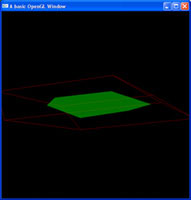
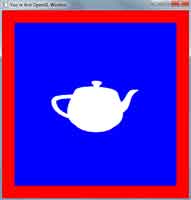
		<description><![CDATA[<img src="http://www.swiftless.com/tutorials/opengl/pics/framebuffer.jpg" alt="OpenGL Framebuffer Tutorial Preview" width="100" height="100" align="left" hspace="5" vspace="5" /><br />If you want to use any type of off screen rendering process, then frame buffers are probably the go for you. They allow you to render an entire scene, directly to a texture.<br clear="all"/>


Related posts:<ol><li><a href='http://www.swiftless.com/tutorials/opengl/cube.html' rel='bookmark' title='6. OpenGL Cube (Version 2.0)'>6. OpenGL Cube (Version 2.0)</a></li>
<li><a href='http://www.swiftless.com/tutorials/opengl/basic_shadows.html' rel='bookmark' title='27. OpenGL Basic Shadows'>27. OpenGL Basic Shadows</a></li>
<li><a href='http://www.swiftless.com/tutorials/opengl/basic_reflection.html' rel='bookmark' title='28. OpenGL Basic Reflection'>28. OpenGL Basic Reflection</a></li>
</ol>]]></description>
		<wfw:commentRss>http://www.swiftless.com/tutorials/opengl/framebuffer.html/feed</wfw:commentRss>
		<slash:comments>8</slash:comments>
		</item>
		<item>
		<title>10. OpenGL Scaling</title>
		<link>http://www.swiftless.com/tutorials/opengl/scaling.html</link>
		<comments>http://www.swiftless.com/tutorials/opengl/scaling.html#comments</comments>
		<pubDate>Thu, 25 Mar 2010 05:47:00 +0000</pubDate>
		<dc:creator>Swiftless</dc:creator>
				<category><![CDATA[OpenGL]]></category>
		<category><![CDATA[glut]]></category>
		<category><![CDATA[programming]]></category>
		<category><![CDATA[scale]]></category>
		<category><![CDATA[scaling]]></category>
		<category><![CDATA[tutorial]]></category>

		<guid isPermaLink="false">http://swiftless.com/wordpress/?p=157</guid>
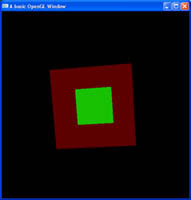
		<description><![CDATA[<img src="http://www.swiftless.com/tutorials/opengl/pics/scale.jpg" alt="OpenGL Scaling Tutorial Preview" width="100" height="100" align="left" hspace="5" vspace="5" />Drawing shapes is fine, moving them about is fine. But do you always want a shape to be the same size? Are all tree's the same height? Of course not. Here I will show you how to scale your 3D shapes.<br clear="all"/>

Related posts:<ol><li><a href='http://www.swiftless.com/tutorials/opengl/smooth_rotation.html' rel='bookmark' title='8. OpenGL Double Buffering'>8. OpenGL Double Buffering</a></li>
<li><a href='http://www.swiftless.com/tutorials/opengl/rotation.html' rel='bookmark' title='7. OpenGL Rotation and Translation (Version 2.0)'>7. OpenGL Rotation and Translation (Version 2.0)</a></li>
<li><a href='http://www.swiftless.com/tutorials/opengl/circle.html' rel='bookmark' title='30. OpenGL Circle Drawing'>30. OpenGL Circle Drawing</a></li>
</ol>]]></description>
		<wfw:commentRss>http://www.swiftless.com/tutorials/opengl/scaling.html/feed</wfw:commentRss>
		<slash:comments>9</slash:comments>
		</item>
		<item>
		<title>9. OpenGL Blending</title>
		<link>http://www.swiftless.com/tutorials/opengl/blending.html</link>
		<comments>http://www.swiftless.com/tutorials/opengl/blending.html#comments</comments>
		<pubDate>Thu, 25 Mar 2010 04:14:24 +0000</pubDate>
		<dc:creator>Swiftless</dc:creator>
				<category><![CDATA[OpenGL]]></category>
		<category><![CDATA[blend]]></category>
		<category><![CDATA[blending]]></category>
		<category><![CDATA[glut]]></category>
		<category><![CDATA[programming]]></category>
		<category><![CDATA[tutorial]]></category>

		<guid isPermaLink="false">http://swiftless.com/wordpress/?p=118</guid>
		<description><![CDATA[<img src="http://www.swiftless.com/tutorials/opengl/pics/blending.jpg" alt="OpenGL Blending Tutorial Preview" width="100" height="100" align="left" hspace="5" vspace="5" />Colours can be mixed and matched in OpenGL, just like in real life. Here you will learn how to blend shapes using OpenGL, allowing you to overlay shapes on top of each other to get the most realism you can.<br clear="all"/>

Related posts:<ol><li><a href='http://www.swiftless.com/tutorials/opengl/scaling.html' rel='bookmark' title='10. OpenGL Scaling'>10. OpenGL Scaling</a></li>
<li><a href='http://www.swiftless.com/tutorials/opengl/vertex_alphas.html' rel='bookmark' title='26. OpenGL Vertex Alphas'>26. OpenGL Vertex Alphas</a></li>
<li><a href='http://www.swiftless.com/tutorials/opengl/color.html' rel='bookmark' title='5. OpenGL Color (Version 2.0)'>5. OpenGL Color (Version 2.0)</a></li>
</ol>]]></description>
		<wfw:commentRss>http://www.swiftless.com/tutorials/opengl/blending.html/feed</wfw:commentRss>
		<slash:comments>6</slash:comments>
		</item>
		<item>
		<title>8. OpenGL Double Buffering</title>
		<link>http://www.swiftless.com/tutorials/opengl/smooth_rotation.html</link>
		<comments>http://www.swiftless.com/tutorials/opengl/smooth_rotation.html#comments</comments>
		<pubDate>Thu, 25 Mar 2010 04:13:47 +0000</pubDate>
		<dc:creator>Swiftless</dc:creator>
				<category><![CDATA[OpenGL]]></category>
		<category><![CDATA[buffer]]></category>
		<category><![CDATA[double]]></category>
		<category><![CDATA[glut]]></category>
		<category><![CDATA[programming]]></category>
		<category><![CDATA[tutorial]]></category>

		<guid isPermaLink="false">http://swiftless.com/wordpress/?p=116</guid>
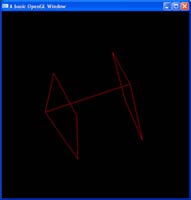
		<description><![CDATA[<img src="http://www.swiftless.com/tutorials/opengl/pics/smooth_rotation.jpg" alt="OpenGL Double Buffering Tutorial Preview" width="100" height="100" align="left" hspace="5" vspace="5" />While single buffering still displays our final image, it can cause artifacts. Double buffering lets us draw everything in a second buffer, and when finished, lets us transfer it to the screen for a smoother application.<br clear="all"/>

Related posts:<ol><li><a href='http://www.swiftless.com/tutorials/opengl/cube.html' rel='bookmark' title='6. OpenGL Cube (Version 2.0)'>6. OpenGL Cube (Version 2.0)</a></li>
<li><a href='http://www.swiftless.com/tutorials/opengl/framebuffer.html' rel='bookmark' title='36. OpenGL Framebuffers'>36. OpenGL Framebuffers</a></li>
<li><a href='http://www.swiftless.com/tutorials/opengl/scaling.html' rel='bookmark' title='10. OpenGL Scaling'>10. OpenGL Scaling</a></li>
</ol>]]></description>
		<wfw:commentRss>http://www.swiftless.com/tutorials/opengl/smooth_rotation.html/feed</wfw:commentRss>
		<slash:comments>9</slash:comments>
		</item>
		<item>
		<title>7. OpenGL Rotation and Translation (Version 2.0)</title>
		<link>http://www.swiftless.com/tutorials/opengl/rotation.html</link>
		<comments>http://www.swiftless.com/tutorials/opengl/rotation.html#comments</comments>
		<pubDate>Thu, 25 Mar 2010 04:12:53 +0000</pubDate>
		<dc:creator>Swiftless</dc:creator>
				<category><![CDATA[OpenGL]]></category>
		<category><![CDATA[glut]]></category>
		<category><![CDATA[programming]]></category>
		<category><![CDATA[rotation]]></category>
		<category><![CDATA[tutorial]]></category>

		<guid isPermaLink="false">http://swiftless.com/wordpress/?p=113</guid>
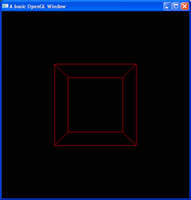
		<description><![CDATA[<img src="http://www.swiftless.com/tutorials/opengl/pics/rotation.jpg" alt="OpenGL Rotation and Translation Tutorial Preview" width="100" height="100" align="left" hspace="5" vspace="5" />Placing objects in a 3D scene is nice, but often enough, you want to be able to move and interact with these shapes. Here you will learn how to rotate them with a single command.<br clear="all"/>

Related posts:<ol><li><a href='http://www.swiftless.com/uncategorized/opengl-rotation-and-translation-version-2.0-now-up-site-optimization.html' rel='bookmark' title='OpenGL Rotation and Translation (Version 2.0) Now up + Site Optimization'>OpenGL Rotation and Translation (Version 2.0) Now up + Site Optimization</a></li>
<li><a href='http://www.swiftless.com/tutorials/opengl/reshape.html' rel='bookmark' title='2. OpenGL Window Reshaping (Version 2.0)'>2. OpenGL Window Reshaping (Version 2.0)</a></li>
<li><a href='http://www.swiftless.com/tutorials/opengl/square.html' rel='bookmark' title='4. OpenGL Primitives &#8211; Square (Version 2.0)'>4. OpenGL Primitives &#8211; Square (Version 2.0)</a></li>
</ol>]]></description>
		<wfw:commentRss>http://www.swiftless.com/tutorials/opengl/rotation.html/feed</wfw:commentRss>
		<slash:comments>27</slash:comments>
		</item>
		<item>
		<title>6. OpenGL Cube (Version 2.0)</title>
		<link>http://www.swiftless.com/tutorials/opengl/cube.html</link>
		<comments>http://www.swiftless.com/tutorials/opengl/cube.html#comments</comments>
		<pubDate>Thu, 25 Mar 2010 04:12:24 +0000</pubDate>
		<dc:creator>Swiftless</dc:creator>
				<category><![CDATA[OpenGL]]></category>
		<category><![CDATA[cube]]></category>
		<category><![CDATA[glut]]></category>
		<category><![CDATA[programming]]></category>
		<category><![CDATA[shape]]></category>
		<category><![CDATA[shapes]]></category>
		<category><![CDATA[tutorial]]></category>

		<guid isPermaLink="false">http://swiftless.com/wordpress/?p=111</guid>
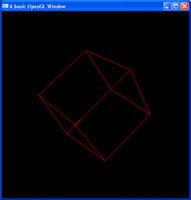
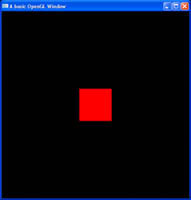
		<description><![CDATA[<img src="http://www.swiftless.com/tutorials/opengl/pics/cube.jpg" alt="OpenGL Cube Tutorial Preview" width="100" height="100" align="left" hspace="5" vspace="5" />From basic 2D shapes, 3D shapes are built. And whilst complex, there are some which are provided to us by GLUT, one of those being your standard cube, made up of 12 triangles and 8 vertices, why hand code it yourself?<br clear="all"/>

Related posts:<ol><li><a href='http://www.swiftless.com/tutorials/opengl/square.html' rel='bookmark' title='4. OpenGL Primitives &#8211; Square (Version 2.0)'>4. OpenGL Primitives &#8211; Square (Version 2.0)</a></li>
<li><a href='http://www.swiftless.com/tutorials/opengl/rotation.html' rel='bookmark' title='7. OpenGL Rotation and Translation (Version 2.0)'>7. OpenGL Rotation and Translation (Version 2.0)</a></li>
<li><a href='http://www.swiftless.com/tutorials/opengl/reshape.html' rel='bookmark' title='2. OpenGL Window Reshaping (Version 2.0)'>2. OpenGL Window Reshaping (Version 2.0)</a></li>
</ol>]]></description>
		<wfw:commentRss>http://www.swiftless.com/tutorials/opengl/cube.html/feed</wfw:commentRss>
		<slash:comments>14</slash:comments>
		</item>
		<item>
		<title>5. OpenGL Color (Version 2.0)</title>
		<link>http://www.swiftless.com/tutorials/opengl/color.html</link>
		<comments>http://www.swiftless.com/tutorials/opengl/color.html#comments</comments>
		<pubDate>Thu, 25 Mar 2010 04:10:10 +0000</pubDate>
		<dc:creator>Swiftless</dc:creator>
				<category><![CDATA[OpenGL]]></category>
		<category><![CDATA[color]]></category>
		<category><![CDATA[glut]]></category>
		<category><![CDATA[programming]]></category>
		<category><![CDATA[tutorial]]></category>

		<guid isPermaLink="false">http://swiftless.com/wordpress/?p=105</guid>
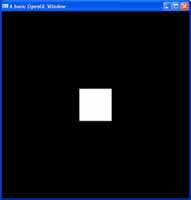
		<description><![CDATA[<img src="http://www.swiftless.com/tutorials/opengl/pics/color.jpg" alt="OpenGL Color Tutorial Preview" width="100" height="100" align="left" hspace="5" vspace="5" />Colour is one of the fundamental building blocks of a scene. Colours can be used to portray mood, realsim, fictions, intensity, or anything else. It's up to the artist, and in this case, you are the artist.<br clear="all"/>

Related posts:<ol><li><a href='http://www.swiftless.com/tutorials/opengl4/5-opengl-4-vao-color.html' rel='bookmark' title='5. OpenGL 4 Vertex Buffer Objects (VBOs) for Color'>5. OpenGL 4 Vertex Buffer Objects (VBOs) for Color</a></li>
<li><a href='http://www.swiftless.com/tutorials/opengl/reshape.html' rel='bookmark' title='2. OpenGL Window Reshaping (Version 2.0)'>2. OpenGL Window Reshaping (Version 2.0)</a></li>
<li><a href='http://www.swiftless.com/tutorials/opengl/keyboard.html' rel='bookmark' title='3. OpenGL Keyboard Interaction (Version 2.0)'>3. OpenGL Keyboard Interaction (Version 2.0)</a></li>
</ol>]]></description>
		<wfw:commentRss>http://www.swiftless.com/tutorials/opengl/color.html/feed</wfw:commentRss>
		<slash:comments>12</slash:comments>
		</item>
		<item>
		<title>4. OpenGL Primitives &#8211; Square (Version 2.0)</title>
		<link>http://www.swiftless.com/tutorials/opengl/square.html</link>
		<comments>http://www.swiftless.com/tutorials/opengl/square.html#comments</comments>
		<pubDate>Thu, 25 Mar 2010 04:09:39 +0000</pubDate>
		<dc:creator>Swiftless</dc:creator>
				<category><![CDATA[OpenGL]]></category>
		<category><![CDATA[glut]]></category>
		<category><![CDATA[primitive]]></category>
		<category><![CDATA[programming]]></category>
		<category><![CDATA[square]]></category>
		<category><![CDATA[tutorial]]></category>

		<guid isPermaLink="false">http://swiftless.com/wordpress/?p=103</guid>
		<description><![CDATA[<img src="http://www.swiftless.com/tutorials/opengl/pics/square.jpg" alt="OpenGL Square Tutorial Preview" width="100" height="100" align="left" hspace="5" vspace="5" />One of the very first things you will want to do with OpenGL is learn how to draw shapes. OpenGL provides some basic shapes, which can then used to make complex 3D objects.<br clear="all"/>

Related posts:<ol><li><a href='http://www.swiftless.com/tutorials/opengl/color.html' rel='bookmark' title='5. OpenGL Color (Version 2.0)'>5. OpenGL Color (Version 2.0)</a></li>
<li><a href='http://www.swiftless.com/tutorials/opengl/cube.html' rel='bookmark' title='6. OpenGL Cube (Version 2.0)'>6. OpenGL Cube (Version 2.0)</a></li>
<li><a href='http://www.swiftless.com/tutorials/opengl/vertex_alphas.html' rel='bookmark' title='26. OpenGL Vertex Alphas'>26. OpenGL Vertex Alphas</a></li>
</ol>]]></description>
		<wfw:commentRss>http://www.swiftless.com/tutorials/opengl/square.html/feed</wfw:commentRss>
		<slash:comments>21</slash:comments>
		</item>
		<item>
		<title>3. OpenGL Keyboard Interaction (Version 2.0)</title>
		<link>http://www.swiftless.com/tutorials/opengl/keyboard.html</link>
		<comments>http://www.swiftless.com/tutorials/opengl/keyboard.html#comments</comments>
		<pubDate>Thu, 25 Mar 2010 04:08:50 +0000</pubDate>
		<dc:creator>Swiftless</dc:creator>
				<category><![CDATA[OpenGL]]></category>
		<category><![CDATA[glut]]></category>
		<category><![CDATA[interaction]]></category>
		<category><![CDATA[keyboard]]></category>
		<category><![CDATA[programming]]></category>
		<category><![CDATA[tutorial]]></category>

		<guid isPermaLink="false">http://swiftless.com/wordpress/?p=101</guid>
		<description><![CDATA[<img src="http://www.swiftless.com/tutorials/opengl/pics/keyboard.jpg" alt="OpenGL Keyboard Interaction Tutorial Preview" width="100" height="100" align="left" hspace="5" vspace="5" />Keyboard interaction can be handled by the user using system API calls, but why do that when you are already using GLUT which can handle this for you? This tutorial will focus on getting and using the keyboard with the help of GLUT.<br clear="all"/>
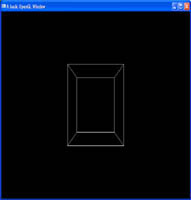

Related posts:<ol><li><a href='http://www.swiftless.com/tutorials/opengl/cube.html' rel='bookmark' title='6. OpenGL Cube (Version 2.0)'>6. OpenGL Cube (Version 2.0)</a></li>
<li><a href='http://www.swiftless.com/tutorials/opengl/color.html' rel='bookmark' title='5. OpenGL Color (Version 2.0)'>5. OpenGL Color (Version 2.0)</a></li>
<li><a href='http://www.swiftless.com/tutorials/opengl/square.html' rel='bookmark' title='4. OpenGL Primitives &#8211; Square (Version 2.0)'>4. OpenGL Primitives &#8211; Square (Version 2.0)</a></li>
</ol>]]></description>
		<wfw:commentRss>http://www.swiftless.com/tutorials/opengl/keyboard.html/feed</wfw:commentRss>
		<slash:comments>35</slash:comments>
		</item>
		<item>
		<title>2. OpenGL Window Reshaping (Version 2.0)</title>
		<link>http://www.swiftless.com/tutorials/opengl/reshape.html</link>
		<comments>http://www.swiftless.com/tutorials/opengl/reshape.html#comments</comments>
		<pubDate>Thu, 25 Mar 2010 04:07:38 +0000</pubDate>
		<dc:creator>Swiftless</dc:creator>
				<category><![CDATA[OpenGL]]></category>
		<category><![CDATA[glut]]></category>
		<category><![CDATA[programming]]></category>
		<category><![CDATA[reshaping]]></category>
		<category><![CDATA[tutorial]]></category>
		<category><![CDATA[window]]></category>

		<guid isPermaLink="false">http://swiftless.com/wordpress/?p=99</guid>
		<description><![CDATA[<img src="http://www.swiftless.com/tutorials/opengl/pics/window_reshaping.jpg" alt="OpenGL Window Reshaping Tutorial Preview" width="100" height="100" align="left" hspace="5" vspace="5" />Re-shaping a window with an OpenGL context can cause undesired scaling if not done correctly. If you wish to learn how to fix this, then this tutorial is for you. Learn how to setup your projection matrix with a viewing angle and both near and far planes.<br clear="all"/>


Related posts:<ol><li><a href='http://www.swiftless.com/tutorials/opengl/window.html' rel='bookmark' title='1. OpenGL Window (Version 2.0)'>1. OpenGL Window (Version 2.0)</a></li>
<li><a href='http://www.swiftless.com/tutorials/opengl/cube.html' rel='bookmark' title='6. OpenGL Cube (Version 2.0)'>6. OpenGL Cube (Version 2.0)</a></li>
<li><a href='http://www.swiftless.com/tutorials/opengl/keyboard.html' rel='bookmark' title='3. OpenGL Keyboard Interaction (Version 2.0)'>3. OpenGL Keyboard Interaction (Version 2.0)</a></li>
</ol>]]></description>
		<wfw:commentRss>http://www.swiftless.com/tutorials/opengl/reshape.html/feed</wfw:commentRss>
		<slash:comments>36</slash:comments>
		</item>
	</channel>
</rss>