5. Terrain Textures
Jump To:
heightfield.h Source
heightfield.cpp Source
Heightfield.H File:
Another nice little adjustment to our heightfield.h file. We just need to assign a variable to hold our textures 🙂 I am calling this tID and at this point, is an array with just 2 positions, for now we will just be working with tID[0], but later on when we add normal mapping, we will be working with tID[1]:
// unsigned int tID[2];
Now lets move onto our heightfield.cpp file 🙂
|
1. 2. 3. 4. 5. 14. |
#include <windows.h>
class SwiftHeightField { int hmHeight; public: }; |
Heightfield.CPP File:
The first change here that you will need to pay attention to, is the incorporation of jpeg.h. Just like in the ‘Loading a JPEG texture’ tutorial (coming soon), we will be using the IJG jpeg library to load our textures. So after we add the line:
// include "jpeg.h"
We need to load in our texture. I am doing this after we load in our heightfield, in our Create function. So I am adding the line:
// SwiftTextureJpeg(tID, "texture.jpg", 0);
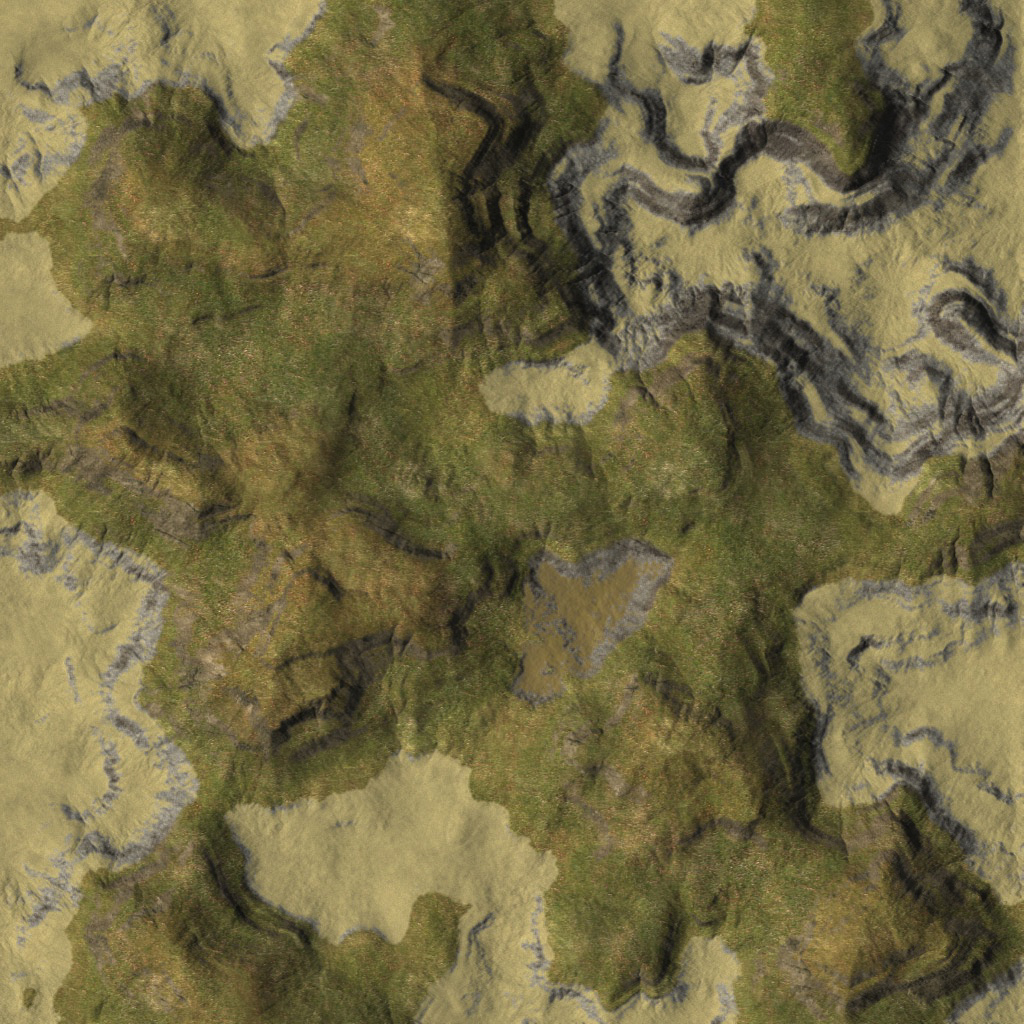
Where texture.jpg is the texture that will stretch over our terrain. Next is where our texturing comes into play. Just like texturing any other primitive shape in OpenGL, we need to enable texturing and bind our texture. So in our Render function, right before anything else, I am adding the lines:
// glEnable(GL_TEXTURE_2D);
// glBindTexture(GL_TEXTURE_2D, tID[0]);
Which will enable texturing and then bind are texture respectively. To finish off this, we need to disable texturing when we are done with our terrain, so we call:
// glDisable(GL_TEXTURE_2D);
At the end of our Render function. Now we need to take a look at our texture coordinates. At the moment, we have no texture coordinates, so in this tutorial we are going to dynamically compute them on the fly. This sounds really technical but it isn’t really. At the X = 0 coordinate on the map, our U coordinate for our texture is 0, and at the X = Width coordinate, our U coordinate for our texture is X / Width.
So at:
X = 0, U = 0;
Z = 0, V = 0;
X = 1024, U = 1; (X / Width = 1024 / 1024 = 1)
Z = 1024, V = 1; (Z / Height = 1024 / 1024 = 1)
Taking this into practice, our rendering code will now look like this:
// glTexCoord2f((float)hMapX / hmWidth, (float)hMapZ / hmHeight);
// glVertex3f(hMapX, hHeightField[hMapX][hMapZ], hMapZ);
// glTexCoord2f((float)hMapX / hmWidth, (float)(hMapZ + 1) / hmHeight);
// glVertex3f(hMapX, hHeightField[hMapX][hMapZ + 1], hMapZ + 1);
// glTexCoord2f((float)(hMapX + 1) / hmWidth, (float)hMapZ / hmHeight);
// glVertex3f(hMapX + 1, hHeightField[hMapX + 1][hMapZ], hMapZ);
// glTexCoord2f((float)(hMapX + 1) / hmWidth, (float)(hMapZ + 1) / hmHeight);
// glVertex3f(hMapX + 1, hHeightField[hMapX + 1][hMapZ + 1], hMapZ + 1);
And that is all we need to change in our heightfield.cpp file. 🙂
|
1. 2. 3. 4. 5. 14. 23. 32. 41. 50. |
#include <stdio.h> #include <gl\gl.h> #include “jpeg.h” bool SwiftHeightField::Create(char *hFileName, const int hWidth, hmHeight = hHeight; void SwiftHeightField::Render(void){ glBindTexture(GL_TEXTURE_2D, tID[0]); for (int hMapZ = 0; hMapZ < hmHeight; hMapZ++){ glTexCoord2f((float)hMapX / hmWidth, (float)hMapZ / hmHeight); glVertex3f(hMapX, hHeightField[hMapX][hMapZ], hMapZ); glEnd(); |
Main.CPP File:
And guess what?! No changes need to be made to our main.cpp file 🙂
Check out the next tutorial on rendering the heightfield using VBO’s (Vertex Buffer Objects) for speed optimizations here 🙂
If you have any questions, just email me at swiftless@gmail.com
|
1. 2. 3. 4. 5. 6. 15. 24. 33. 42. 51. 60. 69. 78. 87. 96. 105. 114. 123. |
#include <GL/glew.h>
#include <GL/gl.h> #include <math.h> #include <windows.h> #include <string.h> #include “heightfield.h” #pragma comment(lib,“glew32.lib”) float xpos = 851.078, ypos = 351.594, zpos = 281.033, xrot = 758, yrot = 238, float lastx, lasty; float bounce; SwiftHeightField hField; void camera (void) { int posZ = (int)zpos; glTranslated(–xpos,–ypos,–zpos); void display (void) { glClearColor (0.0,0.0,0.0,1.0); glLoadIdentity(); glutSwapBuffers(); void Init (void) { glDepthFunc(GL_LEQUAL); void mouseMovement(int x, int y) { int diffy=y–lasty; yrot += (float) diffx; void keyboard (unsigned char key, int x, int y) { yrotrad = (yrot / 180 * 3.141592654f); xpos += float(sin(yrotrad)) * cScale; ypos –= float(sin(xrotrad)) ; } yrotrad = (yrot / 180 * 3.141592654f); xpos –= float(sin(yrotrad)) * cScale; ypos += float(sin(xrotrad)); } yrotrad = (yrot / 180 * 3.141592654f); zpos += float(sin(yrotrad)) * cScale; yrotrad = (yrot / 180 * 3.141592654f); zpos –= float(sin(yrotrad)) * cScale; } void reshape (int w, int h) { glMatrixMode (GL_PROJECTION); glMatrixMode (GL_MODELVIEW); int main (int argc, char **argv) { glutInit(&argc, argv); glutInitWindowSize(500, 500); Init(); glutReshapeFunc(reshape); glutMainLoop (); |
Download:
Download heightfield.h Source Code for this Tutorial
Download heightfield.cpp Source Code for this Tutorial
Download main.cpp Source Code for this Tutorial
Download heightfield.raw for this Tutorial
Download texture.jpg for this Tutorial
Download jpeg.h Source Code for this Tutorial

Guys,can someone copy all the code lines inside jpeg.h and post it here.
im not able to find it.
In the jpeg.h file, where does tImageJPG get defined?
I’m getting the following errors and it seems it has to do with tImageJPG:
jpeg.h(6): error C2143: syntax error : missing ‘;’ before ‘*’
1>c:\…\jpeg.h(6): error C4430: missing type specifier – int assumed. Note: C++ does not support default-int
1>c:\…\jpeg.cpp(10): error C2065: ‘pBitMap’ : undeclared identifier
Is this something that is in the jpeglib files?
Thank you for the great tutorial by the way!
Love this site but WHY is the text in the the code blocks center aligned? Is that intentional? Using safari and firefox.
When I add “SwiftTextureJpeg(tID, “texture.jpg”, 0),” I get the error that it is not defined. I’ve linked the library correctly, but cant figure out why its not working
Hey,
If you are having problems with libjpeg, make sure you download and include the jpeg.h and jpeg.cpp files above, I forgot to add them into the code sections and they are required as they are the interface between the application and libjpeg.
If you are still having problems with libjpeg specifically, I will refer you to http://www.ijg.org/ where there are newer versions.
I didn’t have any problems placing the libjpeg library and headers into my compiler directories (Windows with Visual Studio), and getting everything to run.
@Toychickenofthinking, If it cannot open the include file, then you either have it in the wrong directory, or are not referencing it correctly in jpeg.h.
Cheers,
Swiftless
oh finally, i tried other format (TGA) and it is run
Hi, i’m still newbie on opengl. Btw, after following your tutorial i experienced compile error with jpeglib. I can’t solve it, can you help me identify what actually happened?
Compiler: Default compiler
Building Makefile: “C:\Users\Oscar\Documents\Tugas\Grafkom\FinalProject\Makefile.win”
Executing make…
make.exe -f “C:\Users\Oscar\Documents\Tugas\Grafkom\FinalProject\Makefile.win” all
g++.exe -c heightfield.cpp -o heightfield.o -I”C:/Dev-Cpp/lib/gcc/mingw32/3.4.2/include” -I”C:/Dev-Cpp/include/c++/3.4.2/backward” -I”C:/Dev-Cpp/include/c++/3.4.2/mingw32″ -I”C:/Dev-Cpp/include/c++/3.4.2″ -I”C:/Dev-Cpp/include”
In file included from C:/Dev-Cpp/include/c++/3.4.2/backward/iostream.h:31,
from C:/Dev-Cpp/include/jpeglib.h:41,
from jpeg.h:1,
from heightfield.cpp:3:
C:/Dev-Cpp/include/c++/3.4.2/backward/backward_warning.h:32:2: warning: #warning This file includes at least one deprecated or antiquated header. Please consider using one of the 32 headers found in section 17.4.1.2 of the C++ standard. Examples include substituting the header for the header for C++ includes, or instead of the deprecated header . To disable this warning use -Wno-deprecated.
In file included from jpeg.h:1,
from heightfield.cpp:3:
C:/Dev-Cpp/include/jpeglib.h:630: error: `boolean’ does not name a type
C:/Dev-Cpp/include/jpeglib.h:646: error: `boolean’ does not name a type
C:/Dev-Cpp/include/jpeglib.h:696: error: `boolean’ does not name a type
C:/Dev-Cpp/include/jpeglib.h:790: error: `boolean’ does not name a type
C:/Dev-Cpp/include/jpeglib.h:806: error: `boolean’ does not name a type
C:/Dev-Cpp/include/jpeglib.h:857: error: `boolean’ does not name a type
C:/Dev-Cpp/include/jpeglib.h:858: error: `boolean’ does not name a type
C:/Dev-Cpp/include/jpeglib.h:859: error: `boolean’ does not name a type
C:/Dev-Cpp/include/jpeglib.h:860: error: `boolean’ does not name a type
C:/Dev-Cpp/include/jpeglib.h:874: error: `boolean’ does not name a type
C:/Dev-Cpp/include/jpeglib.h:884: error: `boolean’ does not name a type
C:/Dev-Cpp/include/jpeglib.h:900: error: `boolean’ does not name a type
C:/Dev-Cpp/include/jpeglib.h:950: error: `boolean’ does not name a type
C:/Dev-Cpp/include/jpeglib.h:974: error: `boolean’ does not name a type
C:/Dev-Cpp/include/jpeglib.h:975: error: `boolean’ does not name a type
C:/Dev-Cpp/include/jpeglib.h:978: error: `boolean’ does not name a type
C:/Dev-Cpp/include/jpeglib.h:979: error: `boolean’ does not name a type
C:/Dev-Cpp/include/jpeglib.h:981: error: `boolean’ does not name a type
C:/Dev-Cpp/include/jpeglib.h:984: error: `boolean’ does not name a type
C:/Dev-Cpp/include/jpeglib.h:987: error: `boolean’ does not name a type
C:/Dev-Cpp/include/jpeglib.h:988: error: `boolean’ does not name a type
C:/Dev-Cpp/include/jpeglib.h:989: error: `boolean’ does not name a type
C:/Dev-Cpp/include/jpeglib.h:1076: error: `boolean’ does not name a type
C:/Dev-Cpp/include/jpeglib.h:1077: error: `boolean’ does not name a type
C:/Dev-Cpp/include/jpeglib.h:1088: error: `boolean’ does not name a type
C:/Dev-Cpp/include/jpeglib.h:1095: error: `boolean’ does not name a type
C:/Dev-Cpp/include/jpeglib.h:1098: error: `boolean’ does not name a type
C:/Dev-Cpp/include/jpeglib.h:1256: error: ISO C++ forbids declaration of `boolean’ with no type
C:/Dev-Cpp/include/jpeglib.h:1256: error: expected `;’ before ‘(‘ token
C:/Dev-Cpp/include/jpeglib.h:1267: error: `boolean’ does not name a type
C:/Dev-Cpp/include/jpeglib.h:1273: error: ISO C++ forbids declaration of `boolean’ with no type
C:/Dev-Cpp/include/jpeglib.h:1273: error: expected `;’ before ‘(‘ token
C:/Dev-Cpp/include/jpeglib.h:1275: error: ISO C++ forbids declaration of `boolean’ with no type
C:/Dev-Cpp/include/jpeglib.h:1275: error: expected `;’ before ‘(‘ token
C:/Dev-Cpp/include/jpeglib.h:1311: error: `boolean’ has not been declared
C:/Dev-Cpp/include/jpeglib.h:1311: error: ISO C++ forbids declaration of `pre_zero’ with no type
C:/Dev-Cpp/include/jpeglib.h:1317: error: `boolean’ has not been declared
C:/Dev-Cpp/include/jpeglib.h:1317: error: ISO C++ forbids declaration of `pre_zero’ with no type
C:/Dev-Cpp/include/jpeglib.h:1324: error: `boolean’ has not been declared
C:/Dev-Cpp/include/jpeglib.h:1324: error: ISO C++ forbids declaration of `writable’ with no type
C:/Dev-Cpp/include/jpeglib.h:1329: error: `boolean’ has not been declared
C:/Dev-Cpp/include/jpeglib.h:1329: error: ISO C++ forbids declaration of `writable’ with no type
C:/Dev-Cpp/include/jpeglib.h:1352: error: ISO C++ forbids declaration of `boolean’ with no type
C:/Dev-Cpp/include/jpeglib.h:1352: error: typedef `boolean’ is initialized (use __typeof__ instead)
C:/Dev-Cpp/include/jpeglib.h:1352: error: `jpeg_marker_parser_method’ was not declared in this scope
C:/Dev-Cpp/include/jpeglib.h:1352: error: expected `,’ or `;’ before ‘(‘ token
C:/Dev-Cpp/include/jpeglib.h:1554: error: `jpeg_marker_parser_method’ has not been declared
C:/Dev-Cpp/include/jpeglib.h:1554: error: ISO C++ forbids declaration of `routine’ with no type
make.exe: *** [heightfield.o] Error 1
Execution terminated
Awesome tutorial, just like your OpenGL tutorials 🙂 I couldn’t figure out what to do with the jpeglib.zip file. I inserted the header and library into the project file -also tried to add them to the VC/include/GL, and lib sections- but I keep getting the error “Cannot open include file: ‘jpeglib.h’: No such file or directory.” how can I solve this ? Thanks.